Target is to provide a IMP/Gateway speedtest reference implementation to RDK-B community as part of banana Pi R4
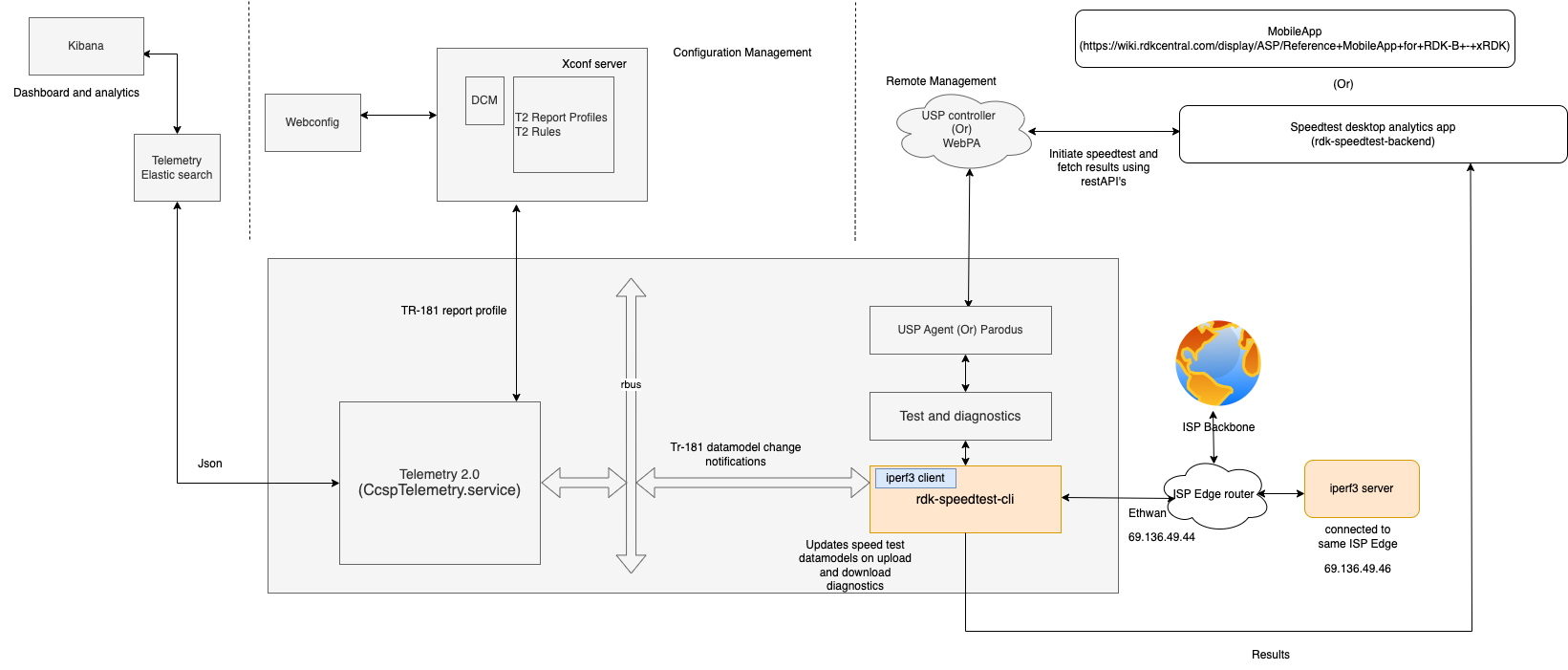
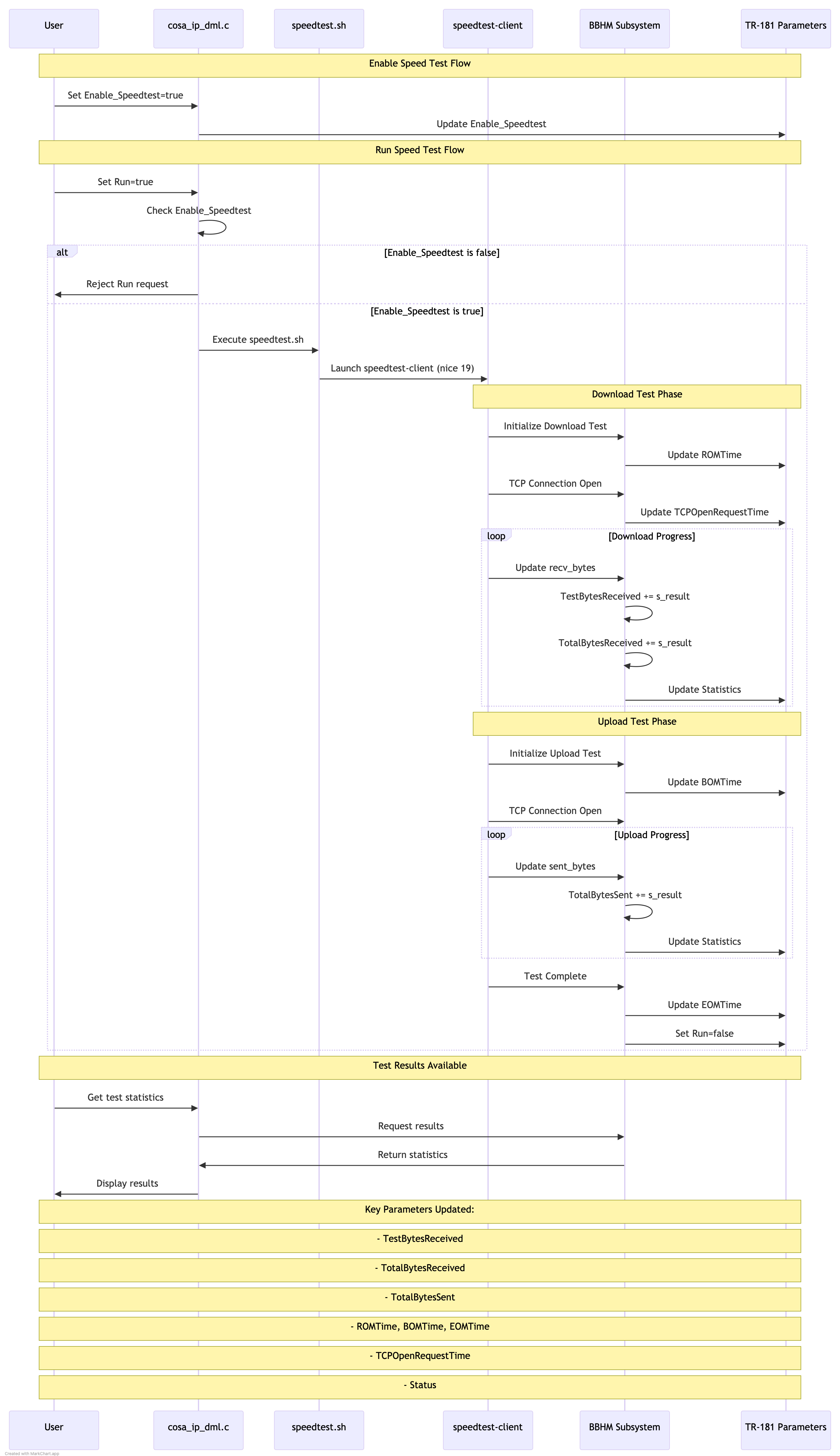
/usr/ccsp/tad/speedtest.sh # Launches with lowest priority
pStats->TestBytesReceived += s_result;
pStats->TotalBytesReceived += s_result;
pStats->TotalBytesSent += s_result;
The entire process is managed by the Test and Diagnostics framework, with:
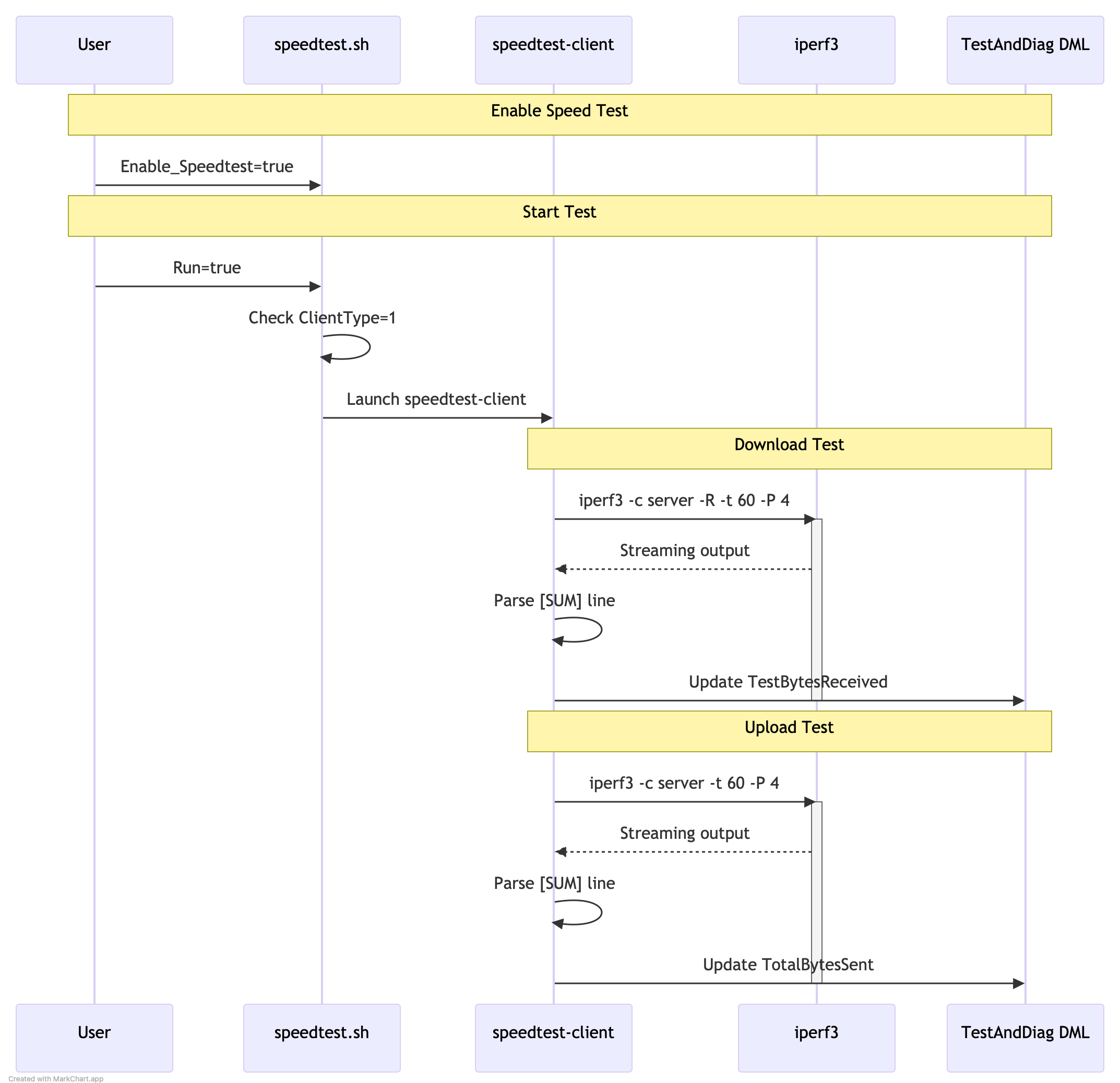
iperf3 -c 192.168.2.151 -t 60 -b 100M -P 4
root@RaspberryPi-Gateway:/# tail -n 25 /var/log/iperf3log.log [ 5] 0.00-60.00 sec 169 MBytes 23.6 Mbits/sec receiver [ 7] 0.00-60.00 sec 173 MBytes 24.2 Mbits/sec 150 sender [ 7] 0.00-60.00 sec 173 MBytes 24.2 Mbits/sec receiver [ 9] 0.00-60.00 sec 167 MBytes 23.3 Mbits/sec 152 sender [ 9] 0.00-60.00 sec 167 MBytes 23.3 Mbits/sec receiver [ 11] 0.00-60.00 sec 164 MBytes 23.0 Mbits/sec 159 sender [ 11] 0.00-60.00 sec 164 MBytes 23.0 Mbits/sec receiver [SUM] 0.00-60.00 sec 674 MBytes 94.2 Mbits/sec 621 sender [SUM] 0.00-60.00 sec 673 MBytes 94.1 Mbits/sec receiver

Pre test requirement : Ensure we have a iperf server on wan side in a ubuntu machine / windows machine.And is listening at port 5201
1. Using DMcli / webui set the Speedtest argument .In the string, give the server details used to send the Iperf server, port number ( ex: 5201) , bandwidth (ex 200), timeout (ex 15) details .Example as below
Ex: dmcli eRT setv Device.IP.Diagnostics.X_RDKCENTRAL-COM_SpeedTest.Argument string "-t 15 -b 200 -P 6 -p 5201 67.xx.xx.xxx"
2. Enable the speed test : dmcli eRT setv Device.IP.Diagnostics.X_RDKCENTRAL-COM_SpeedTest.Enable_Speedtest bool true
3. Enable the SpeedRun DM : dmcli eRT setv Device.IP.Diagnostics.X_RDKCENTRAL-COM_SpeedTest.Run bool true
4.Once we enable the Speedtest .Run DM ,we can see the iperf test has been intiated by through ps o/p , also we can see the packets being sent from server and received by the gateway in the console
root@Filogic-GW:~# ps | grep speed
392379 root 3236 S {speedtest.sh} /bin/sh /usr/ccsp/tad/speedtest.sh
392417 root 2180 SN /usr/bin/speedtest-client xx.xx.xx.xxx
5.In the TandD logs , we can see the iperf results as below :
2025-03-14 07:33:06 : Iperf test results: Sender 375000000 MBytes 200.000000 Mbits/sec sender Receiver : 375000000 MBytes 200.000000 Mbits/sec
6.Create a telemetry profile using the below link in Xconf server (First follow the log upload steps and then the telemetry profile creation)
https://wiki.rdkcentral.com/display/RDK/Feature+Validation+%3A+Xconf+Server
7.Telemetery profile has to be like below :
Telemtery profile:
"urn:settings:TelemetryProfile":{"id":"c8eb7b91-d982-4e08-97f8-20b2bc11d657","telemetryProfile":[
{"header" : "SPEEDTEST_IPERF_INFO_SPLIT","content" : "Iperf test results","type" : "TDMlog.txt.0","pollingFrequency":"0"}
],"schedule":"/5 * * *","expires":0,"telemetryProfile:name":"BPI-CIEC","uploadRepository:URL":"https://xconf.rdkcentral.com/xconf/telemetry_upload.php","uploadRepository:uploadProtocol":"HTTP"}
8.During log upload we wil be able to see the logs uploaded having the specific telemtery profile from TandD as well
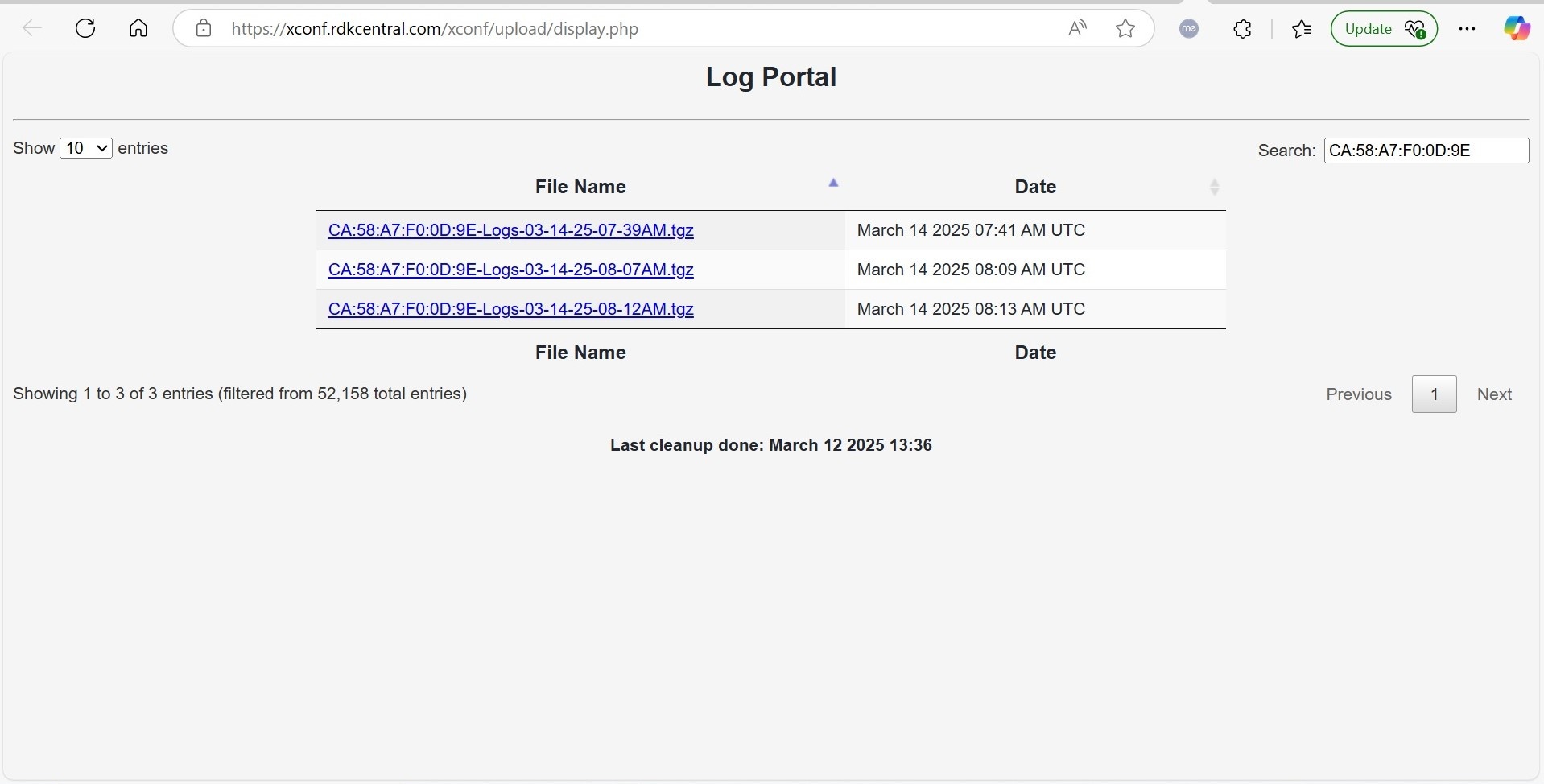
Logs can be downloaded and checked for the iperf results information