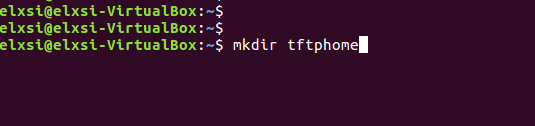
STEP 2:
Create new folder ,for example "tfphome" in your PC home directory to maintain checksum file and upgrading image file.
STEP 3:
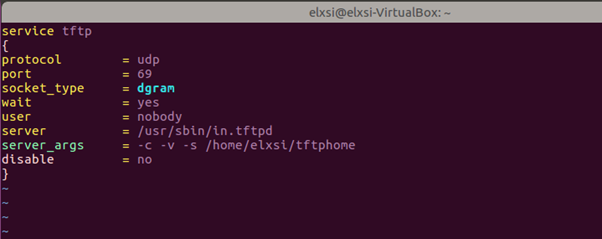
Check tftp file is there or not in /etc/xinetd.d/ directory. if it is not there then create tftp file under this /etc/xinetd.d/ direcotry and add below content.
File : /etc/xinetd.d/tftp
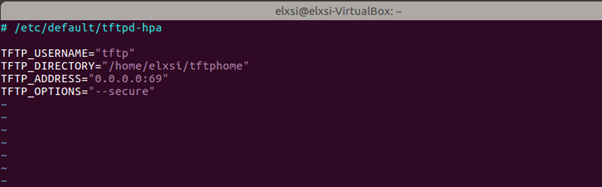
Verify /etc/default/tftpd-hpa file content
vi /etc/default/tftpd-hpa
File: /etc/default/tftpd-hpa
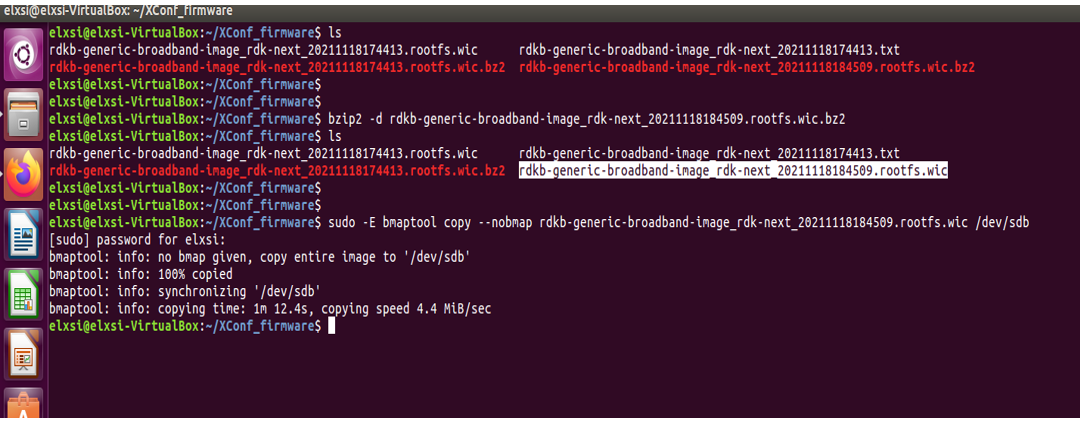
STEP 5: Start tftp server and xinetd server using below commands.
sudo service tftpd-hpa restart
sudo /etc/init.d/xinetd restart
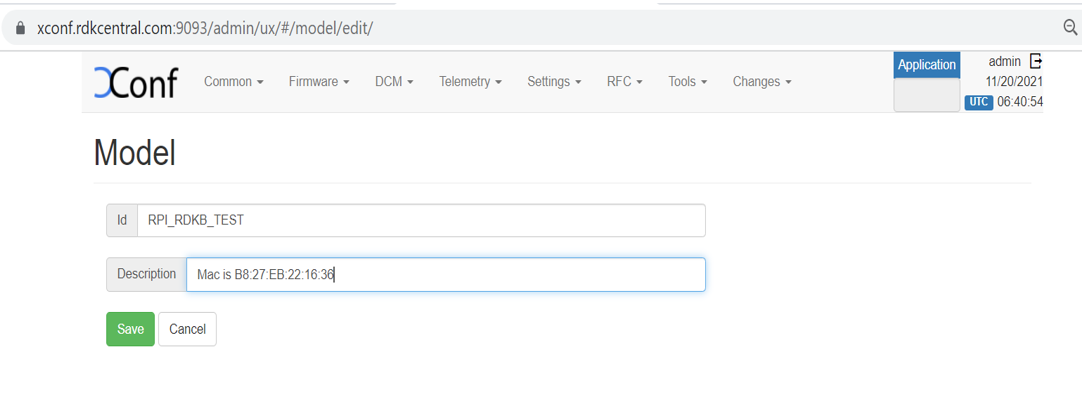
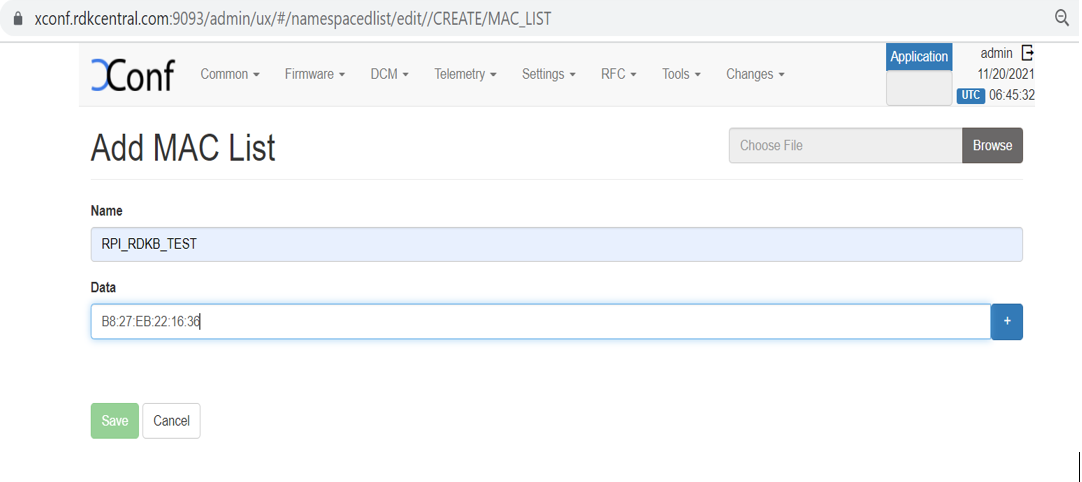
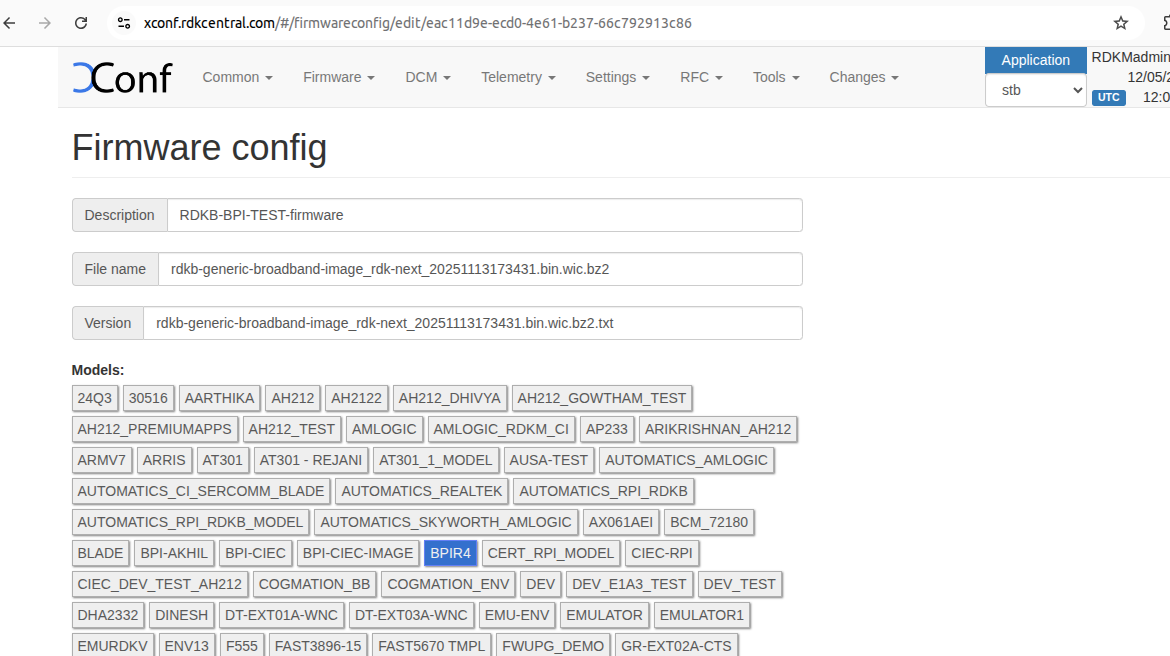
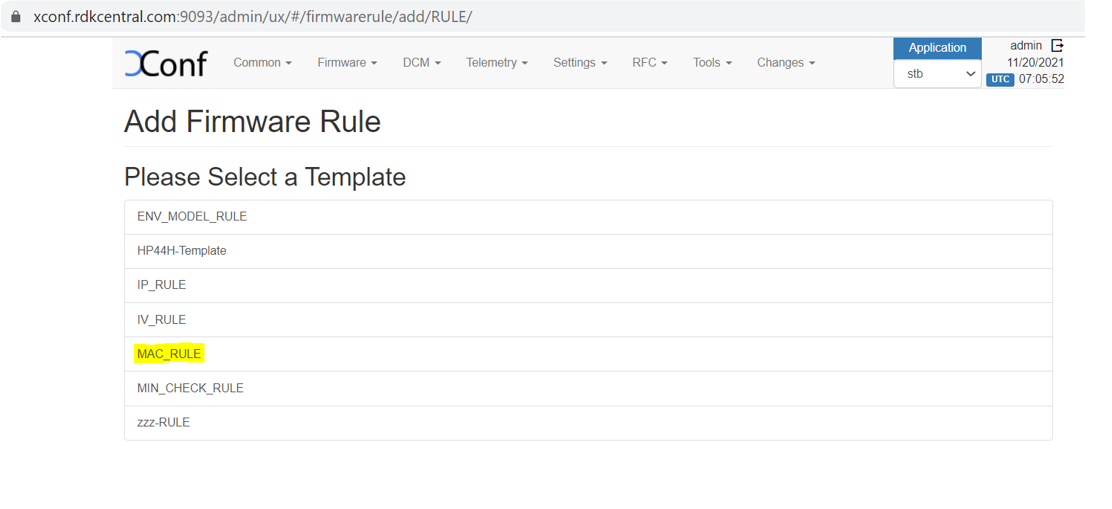
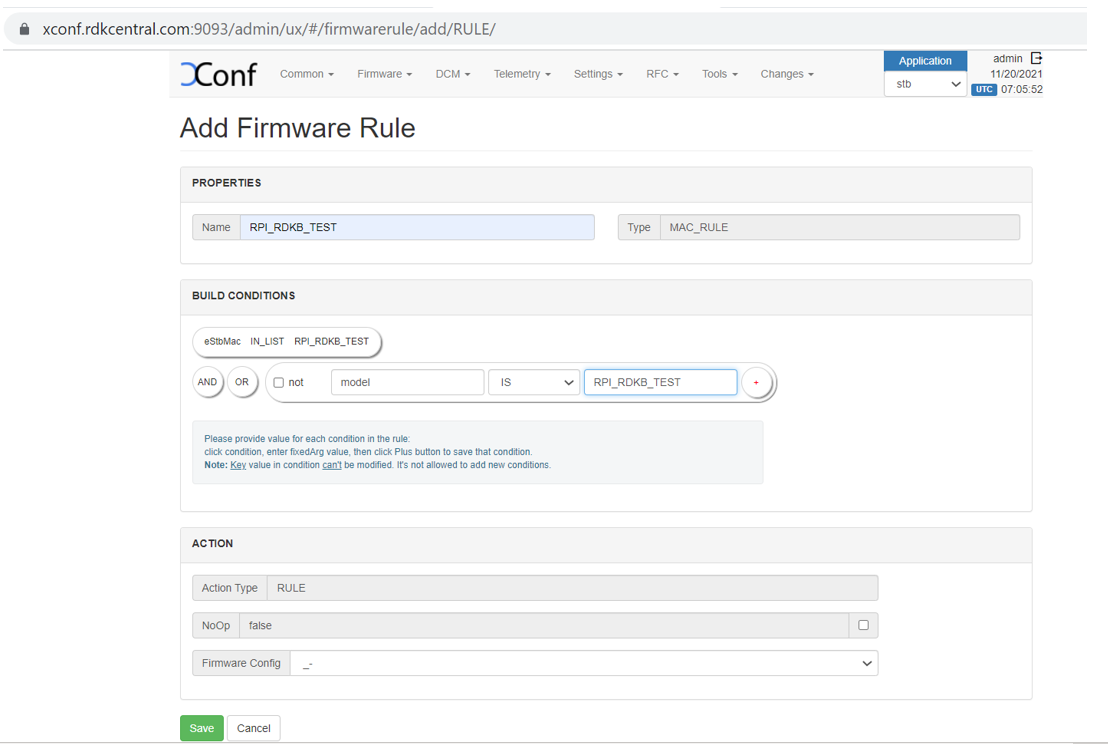
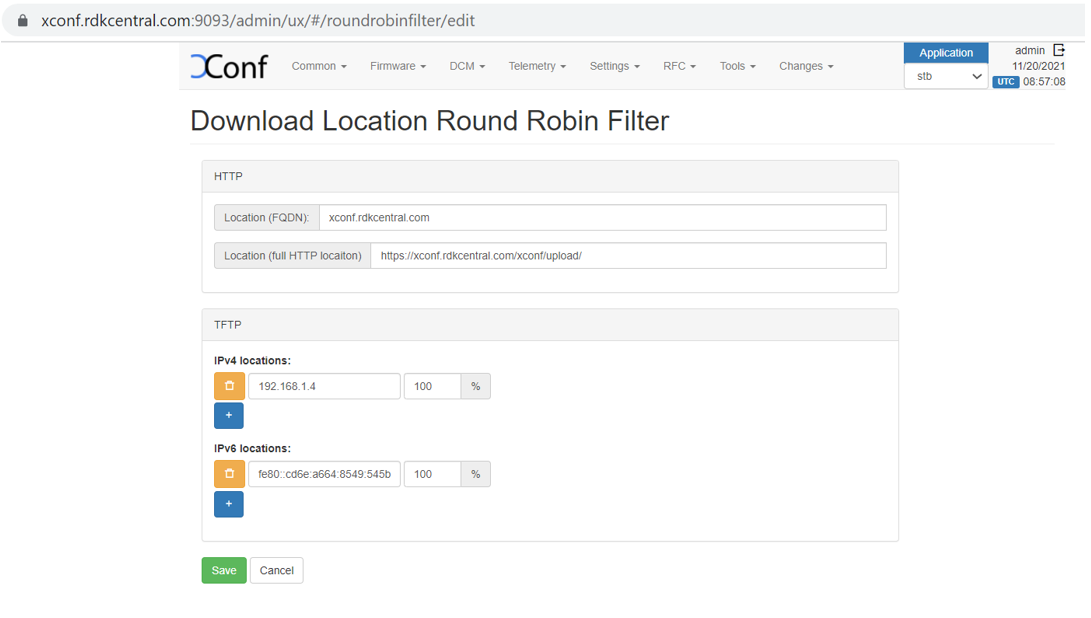
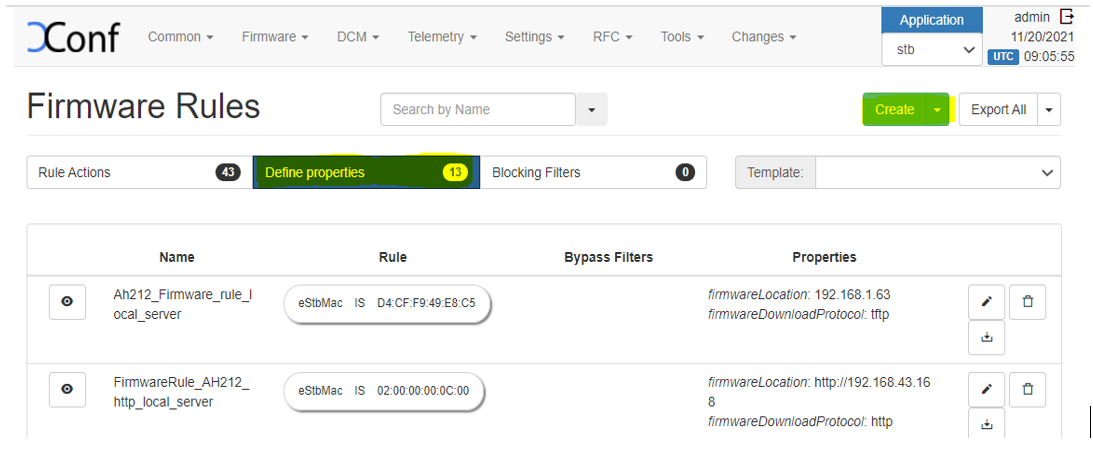
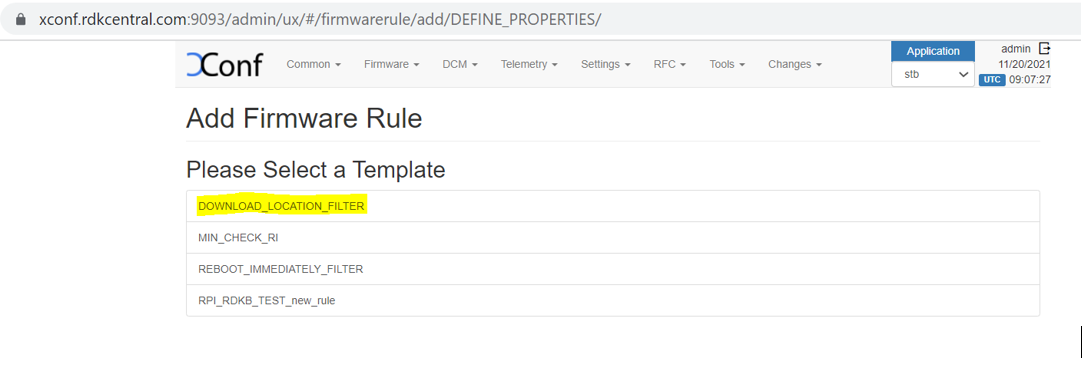
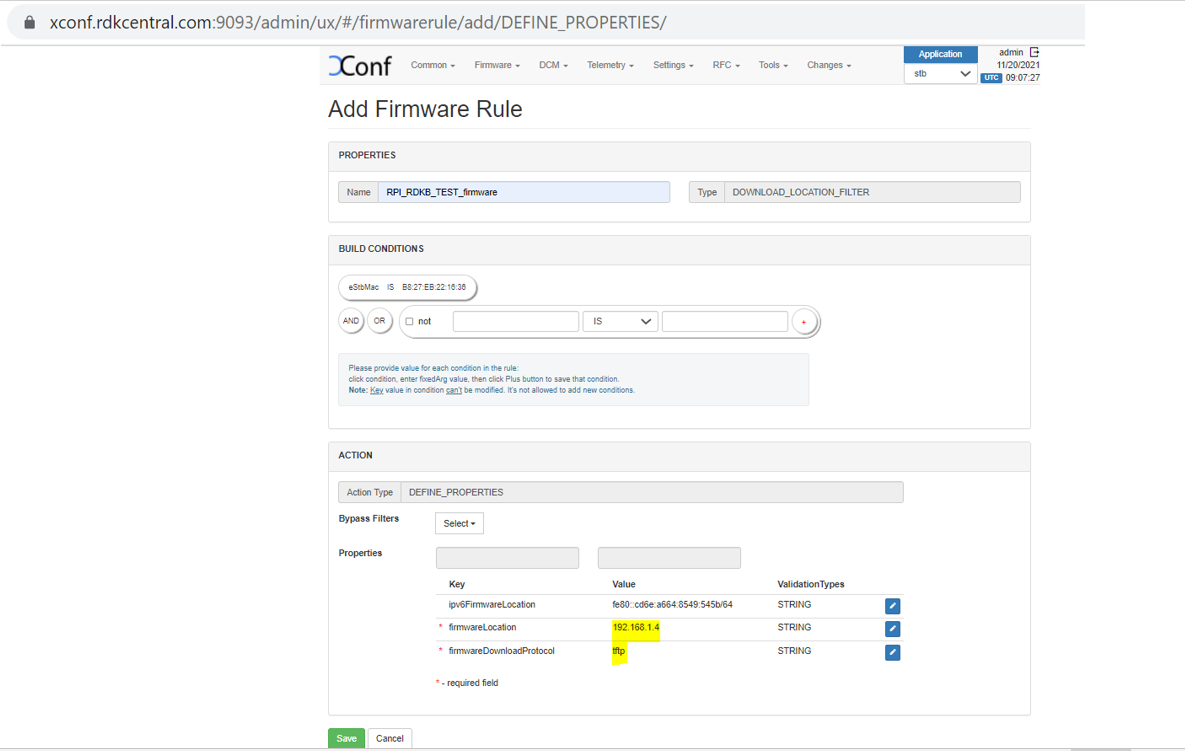
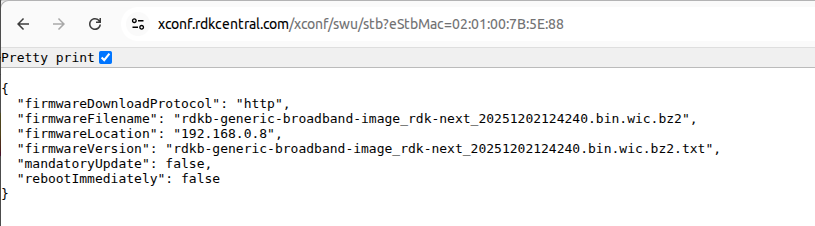
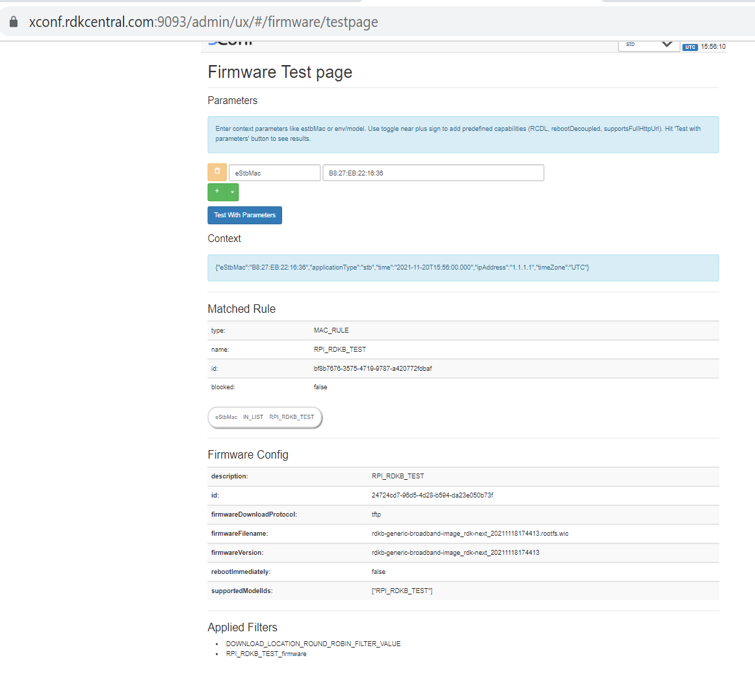
root@Filogic-GW:~# cat /etc/include.properties LOG_PATH=/rdklogs/logs CRON_SPOOL=/var/spool/cron/crontabs CRON_FIFO_FILE=/etc/cron.d/FIFO PERSISTENT_PATH=/nvram RAMDISK_PATH=/tmp TEMP_LOG_PATH=/var/logs UTILITY_PATH=/lib/rdk RDK_PATH=/lib/rdk EROUTER_INTERFACE=erouter0 TELEMETRY_JSON_RESPONSE=/nvram/rtl_json.txt CLOUDURL="https://xconf.rdkcentral.com/xconf/swu/stb?eStbMac=" |
root@Filogic-GW:~# cat /etc/dcm.properties LOG_SERVER=xconf.rdkcentral.com DCM_LOG_SERVER=https://xconf.rdkcentral.com/xconf/logupload.php DCM_LOG_SERVER_URL=https://xconf.rdkcentral.com/loguploader/getSettings DCM_SCP_SERVER=xconf.rdkcentral.com HTTP_UPLOAD_LINK=https://xconf.rdkcentral.com/xconf/telemetry_upload.php DCA_UPLOAD_URL=xconf.rdkcentral.com DCM_HTTP_SERVER_URL=https://xconf.rdkcentral.com/xconf/telemetry_upload.php DCM_LA_SERVER_URL=https://xconf.rdkcentral.com/xconf/logupload.php |
root@Filogic-GW:~# cat /version.txt imagename:rdkb-generic-broadband-image_rdk-next_20251204071936 BRANCH=rdk-next YOCTO_VERSION=kirkstone VERSION=6.1.12.04.25 SPIN=0 BUILD_TIME="2025-12-04 07:19:36" JENKINS_JOB=Default JENKINS_BUILD_NUMBER=0 Generated on Thu Dec 04 07:19:36 UTC 2025 |
root@Filogic-GW:~# crontab -l | grep fwupgrade */15 * * * * /usr/bin/fwupgrade >> /var/log/fwupgrade_cron.log 2>&1 |
cat /var/log/fwupgrade.log
cloudFWFile     : rdkb-generic-broadband-image_rdk-next_20251103090407.bin.wic.bz2
cloudFWLocation : 192.168.0.7
cloudFWVersion  : rdkb-generic-broadband-image_rdk-next_20251103090407.bin.wic.bz2.txt
cloudProto      : http
Active root partition: /dev/mmcblk0p4
downloading image using curl -fgLo /tmp/rdkb-generic-broadband-image_rdk-next_20251103090407.bin.wic.bz2.txt  http://192.168.0.7/rdkb-generic-broadband-image_rdk-next_20251103090407.bin.wic.bz2.txt  % Total    % Received % Xferd  Average Speed   Time    Time     Time  Current
                                 Dload  Upload   Total   Spent    Left  Speed
100    99  100    99    0     0  42471      0 --:--:-- --:--:-- --:--:-- 49500
Xconf-server Version: rdkb-generic-broadband-image_rdk-next_20251103090407
Current Partition Version: rdkb-generic-broadband-image_rdk-next_20251103110434
Passive Partition device: /dev/mmcblk0p8
Mount successful and version.txt found at /mnt/passiveroot/version.txt
Passive Partition Version: rdkb-generic-broadband-image_rdk-next_20251103110434
Passive partition does not contain version.txt yet.
Neither active nor passive have the required version. Proceeding with upgrade...
Opened /tmp/xconf_flag for writing
Successfully wrote to /tmp/xconf_flag
the value of Xconf upgarde flag  is 1CR component name is: eRT.com.cisco.spvtg.ccsp.CR
subsystem_prefix eRT.
Execution succeed.CR component name is: eRT.com.cisco.spvtg.ccsp.CR
subsystem_prefix eRT.
Execution succeed.CR component name is: eRT.com.cisco.spvtg.ccsp.CR
subsystem_prefix eRT.
Execution succeed.CR component name is: eRT.com.cisco.spvtg.ccsp.CR
subsystem_prefix eRT.
Execution succeed.[INFO] Firmware upgrade is in progress..... |
root@Filogic-GW:~# ls /mnt/bootpart/ -sh total 203M 16K lost+found 203M rdkb-generic-broadband-image_rdk-next_20250916120622.bin.wic.bz2 root@Filogic-GW:~# ls /mnt/bootpart/ -sh total 205M 16K lost+found 205M rdkb-generic-broadband-image_rdk-next_20250916120622.bin.wic.bz2 root@Filogic-GW:~# ls /mnt/bootpart/ -sh total 207M 16K lost+found 207M rdkb-generic-broadband-image_rdk-next_20250916120622.bin.wic.bz2 root@Filogic-GW:~# ls /mnt/bootpart/ -sh total 209M |
root@Filogic-GW:~# cat /version.txt imagename:rdkb-generic-broadband-image_rdk-next_20250916120622 BRANCH=rdk-next YOCTO_VERSION=kirkstone VERSION=6.1.09.16.25 SPIN=0 BUILD_TIME="2025-09-16 12:06:22" JENKINS_JOB=Default JENKINS_BUILD_NUMBER=0 Generated on Tue Sep 16 12:06:22 UTC 2025 |
NOTE : Every time need to flash the different images . Because, here they are using the bank switching approach where the images will be stored in the cloud.
So for the next time, when you try to flash the same image to SD card , the firmware upgrade will not happen . The reason is, it will check in the bank (cloud – active and passive banks). If the image is already available in any one of the bank, then it will not go for image upgrade.
If you want recover previous image, execute the below command and the device will boot up with the passive bank image.
root@Filogic-GW:~# /usr/bin/fwupgrade recover [INFO] Running recovery process... recovering base image has startedbl2 and fip 2 are ready to swapping All done. Rebooting... Connection to 192.168.2.15 closed by remote host. Connection to 192.168.2.15 closed. chtsl00601@chtsl00601-Latitude-3420:~$ |