
Introduction
Parental control in a Wi-Fi gateway device enables monitoring and management of internet access for connected devices within a network. It allows administrators to restrict inappropriate content, set usage schedules, and control online activity, ensuring a safer and more controlled internet environment for users, especially children.
Procedure for Testing
Managed Sites
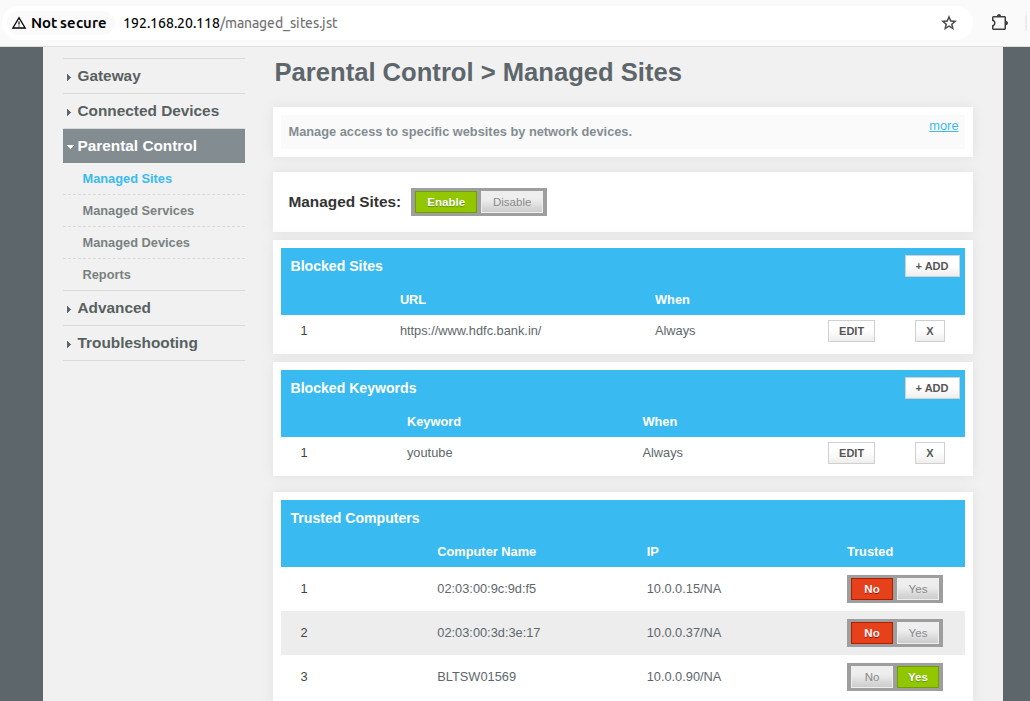
- Enable Managed Sites under Parental Control > Managed Sites
- Under Blocked Sites, click on 'Add' button and enter the URL to be blocked and click on save.
- Verify if the added URL is not loading in connected client.
- Under Blocked keyword, click on 'Add' button and enter the keyword to be blocked and click on save.
- Verify if the added keyword is not loading in connected client
- Enable Trusted for the Active clients and verify the Trusted Computers
- Verify if on the Trusted device (marked as YES) the above blocked URL & keywords are loading
Managed Services
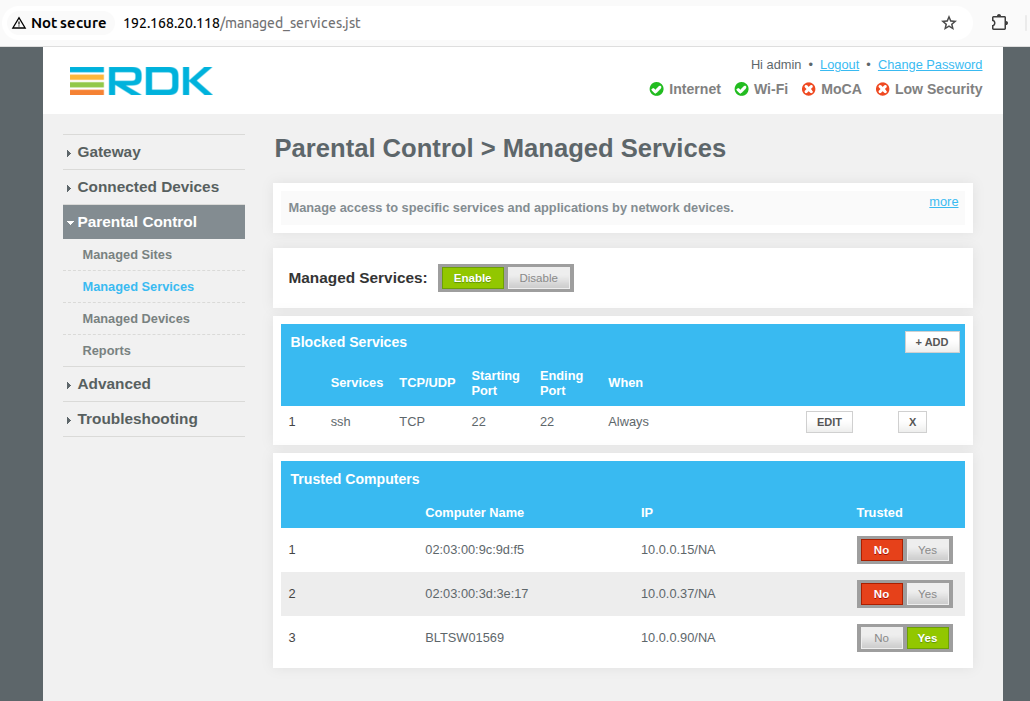
- Enable Managed Services under Parental Control > Managed Services tab
- Under Blocked Service, click on 'Add' button and enter any service to be blocked.
- For Ex: Enter below values
User Defined Service: ssh
Protocal : TCP
Start point : 22
End Point : 22- Verify ssh to the connected client, ssh should not work.
- Enable Trusted for the Active clients
- ssh should work for the trusted devices
Managed Devices
- Enable Managed Devices under Parental Control > Managed Devices tab
- When Access Type 'Block All' is enabled
- All connected clients should be blocked and internet should not work
- Click on 'Add Allowed Device' and add the 'Auto Learned device' and save it
- Internet should work on Added allowed client device
- When Access Type 'Allow All' is enabled