

Page History
...
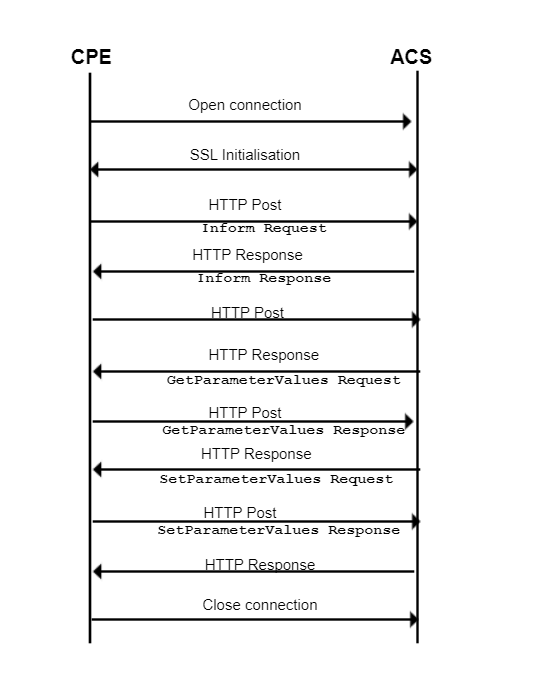
The CPE is responsible for establishing the session to the server. The CPE keeps sending HTTP POST requests during the session. The session is closed as soon as both CPE & GenieACS have indicated that they have nothing more to send (response or new RPC)
GenieACS Server
Ensure the GenieACS Server Setup is launched and running to establish the Client-Server communication
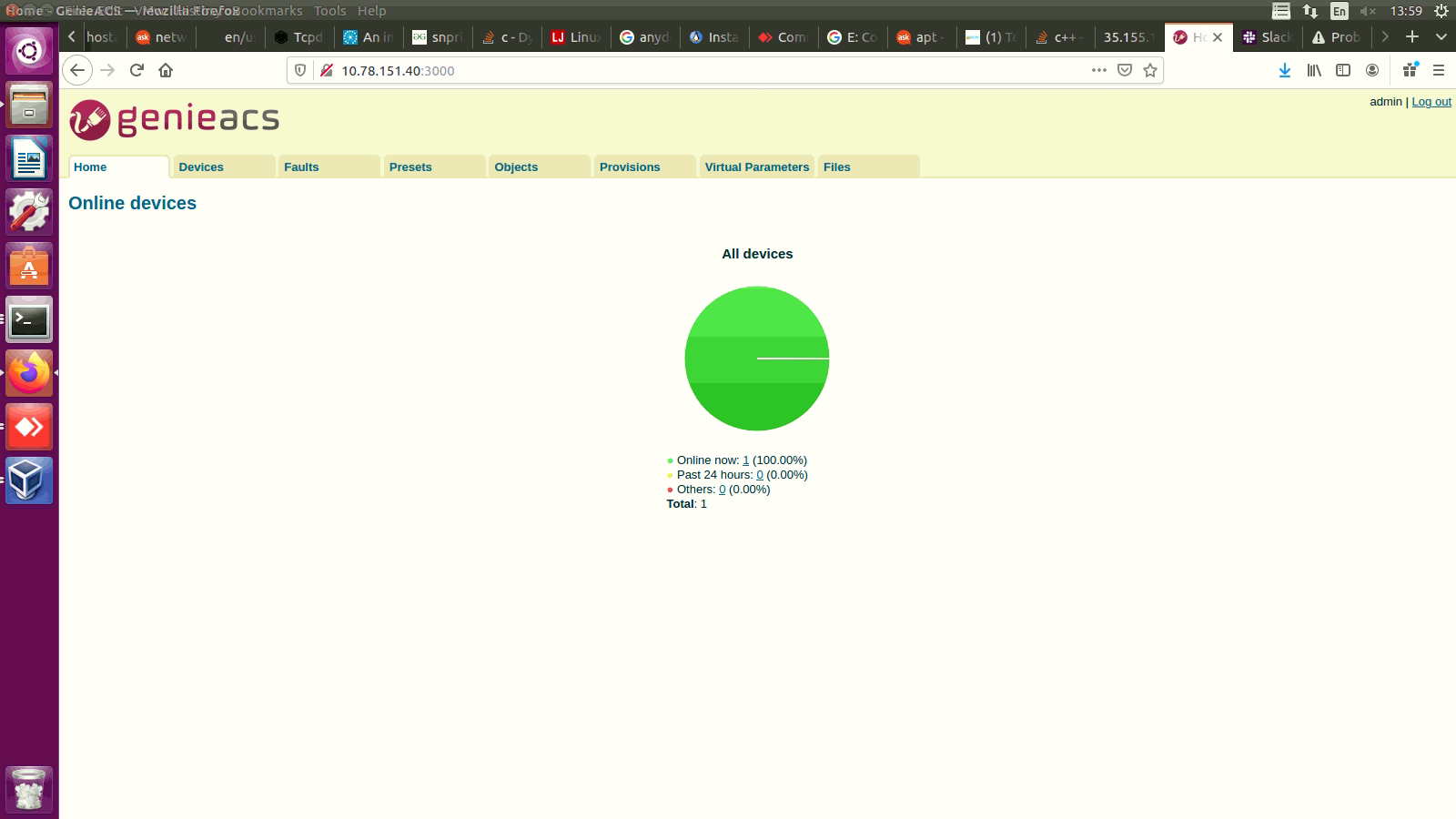
GenieACS server home page:
Test Procedure
Client RPI set-up
Steps to be followed:
- Flash the RDK-Broadband image where the Tr069 Protocol Agent is enabled.
Code Block title tr69 status collapse true root@Filogic-GW:/lib/systemd/system# systemctl status CcspTr069PaSsp.service ● CcspTr069PaSsp.service - CcspTr069PaSsp service Loaded: loaded (/lib/systemd/system/CcspTr069PaSsp.service; enabled; vendor preset: enabled) Active: active (running) since Thu 2022-04-28 17:43:08 UTC; 2 years 6 months ago Process: 3809 ExecStartPre=/bin/sh -c val=`syscfg get EnableTR69Binary`; if [ "$val" == "false" ]; then `systemctl stop CcspTr069PaSsp`; fi (code=exited, status=0/SUCCESS) Process: 3834 ExecStart=/usr/bin/CcspTr069PaSsp -subsys $Subsys (code=exited, status=0/SUCCESS) Main PID: 3856 (CcspTr069PaSsp) Tasks: 17 (limit: 4713) Memory: 9.2M CGroup: /system.slice/CcspTr069PaSsp.service └─ 3856 /usr/bin/CcspTr069PaSsp -subsys eRT.
- Flash the RDK-Broadband image where the Tr069 Protocol Agent is enabled.
- b. Check for the CcspTr069PaSsp is active and listening to port 7547
...
Then, set the parameters,
$ dmcli eRT setv Device.ManagementServer.EnableCWMP bool true$ dmcli eRT setv Device.ManagementServer.URL string http://10.78.151.40:7547/$ dmcli eRT setv Device.DeviceInfo.X_RDKCENTRAL-COM_Syndication.TR69CertLocation string "/etc/cacert.pem" |
Following are the parameters needed to be checked for TR69
| Device.ManagementServer.EnableCWMP | true |
| Device.ManagementServer.URL | ACS Server URL: http://192.168.2.165:7547/ |
| Device.DeviceInfo.X_RDKCENTRAL-COM_Syndication.TR69CertLocation | /etc/cacert.pem |
Now, from the GenieACS Server try to fetch the Connected Devices details
GenieACS Server Login & Initial check
- Visit the GenieACS Server page
- Click on "Devices" that displays the connected devices information and the device parameters available

Overview
Community Forums
Content Tools
Tasks