

Page History
1. Scope of the work
To disable router mode and enable brigdemode in BPIR4 Router. It means, by default device will be in router mode. Once changed to bridge mode, Private WIFI will stop its broadcasting, Ethernet Client should get public IP address (in erouter series) and Wireless client will lose its connection to private WIFI.
2. Target Audience
- RDK-B Operators
- RDK-B SoC Vendors
- RDK-B OEM's
- RDK-B Application Vendors
- RDK-B System Integrators
3. High level Code Flow Design
3.1. After boot-up

3.2. During boot-up
| Gliffy Diagram | ||||||||
|---|---|---|---|---|---|---|---|---|
|
4. Supported device
- Raspberry Pi4 32 bit
- Raspberry Pi4 64 bit
5. Build Instructions
...
- Bananapi R4 Device.
6. TR-181 Data Model Parameter of Bridge Mode
| CcspPandM | Device.X_CISCO_COM_DeviceControl.LanManagementEntry.1.LanMode | bridge-static | To disable router mode functionalities and enable bridge mode functionalities in RPI Router. It means ,Private WIFI will stop its broadcasting, Ethernet Client should get public IP address (in erouter series) and Wireless client will lose its connection to private WIFI. |
| CcspPandM | Device.X_CISCO_COM_DeviceControl.LanManagementEntry.1.LanMode | router | Change from bridge mode to router mode and verify basic functionality is working fine like internet connectivity for wifi and ethernet clients and also verify admin ui page is accessible. |
7. Test Procedure
7.1. Enabling BridgeMode via dmcli
To enable bridge mode run the following dmcli commands,
|
7.2. Enabling BridgeMode via WebUI
Follow the below steps to enable the bridge mode in UI,
1. Open the RPI Router User Interface on web browser
2. From the left-hand column, select "Gateway -> At a Glance"
3. Next to "Enable Bridge Mode", click Enable.
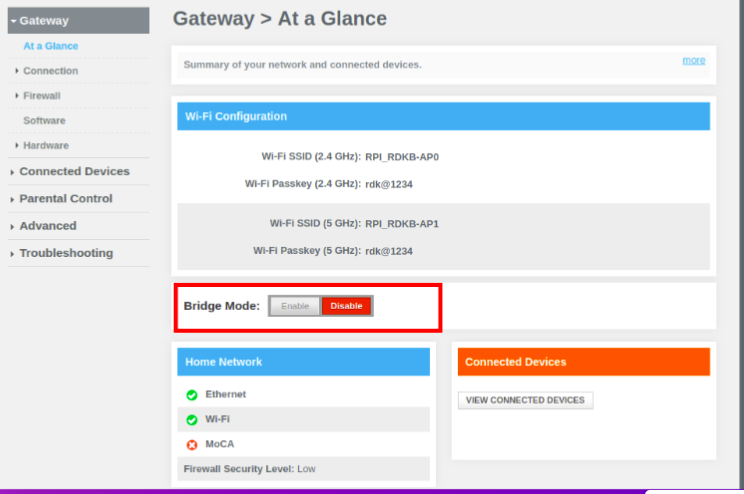
...
Once the BPI is in bridge-mode, below test cases are needs to be passed,
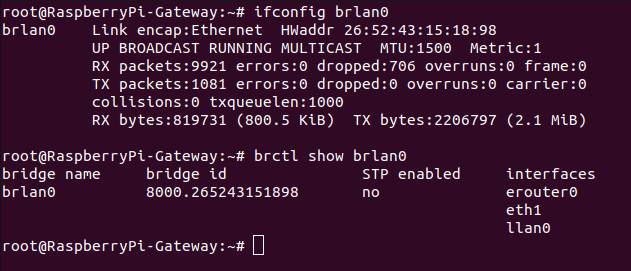
- brlan0 will lose IP address
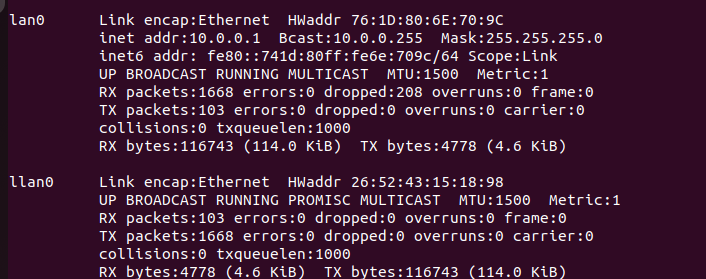
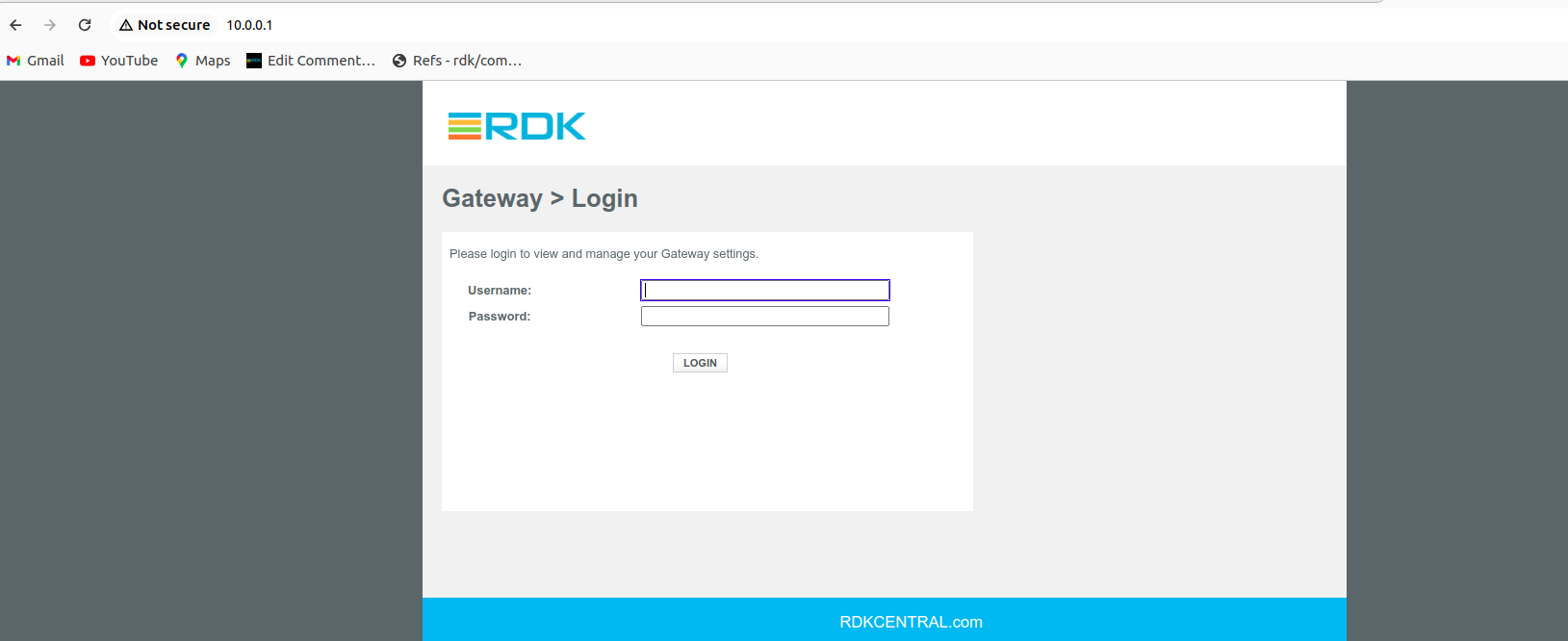
- A new bridge is created lan0(interface link llan0) which will have 10.0.0.1 ip address
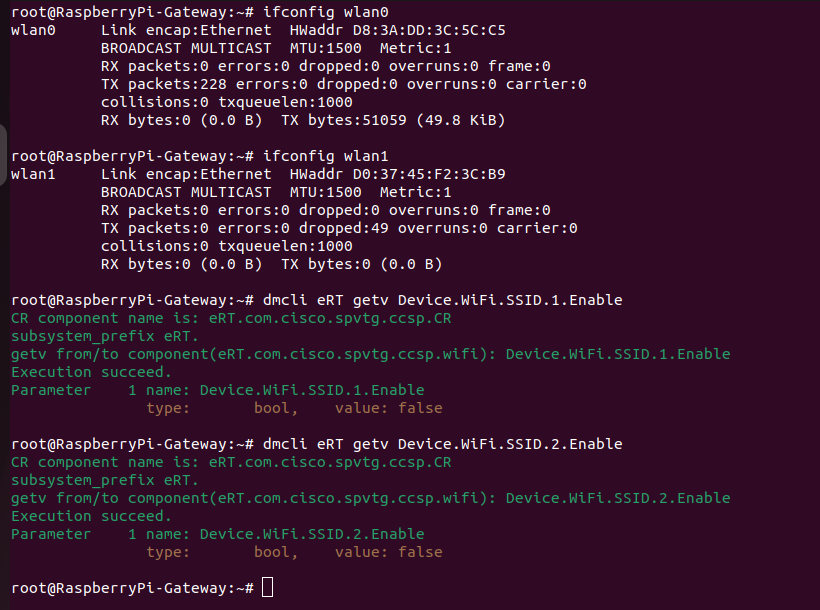
- Private WiFi should stops broadcasting
- Ethernet (lan) clients should get Public IP address(i,e in erouter ip series)
- Verify whether the admin UI page is accessible by using 10.0.0.1 ip in ethernet client device
- Changing from bridgemode to router mode and verify basic functionalities are working fine like Private WiFi should be broadcasted, able to get ip & internet access for wifi and lan clients and admin UI also accessible in connected clients.
8. RPI Test Results
8.1. Router → Bridge-Static
- Changing the LanMode from router to bridge-static mode
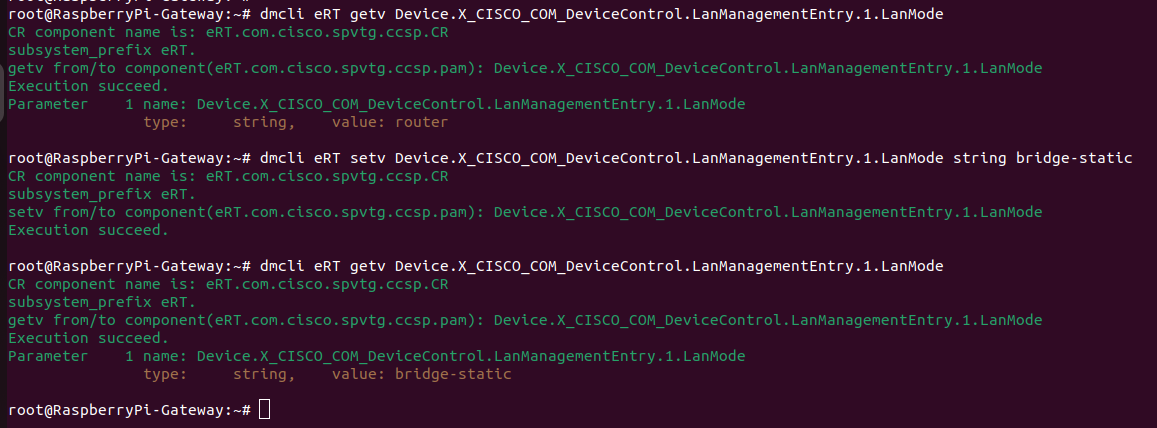
2. A new bridge is created lan0(interface link llan0) which will have 10.0.0.1 ip address
3. Private WiFi should stops broadcasting
4.Ethernet (lan) clients should get Public IP address(i,e in erouter ip series)
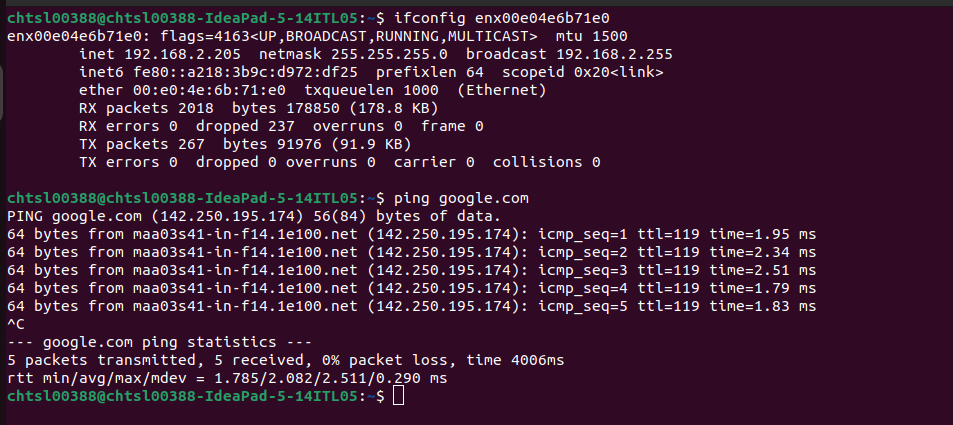
5. Verify whether the admin UI page is accessible by using 10.0.0.1 ip in ethernet client device
6. brlan0 shouldn't have IP address
8.2. Bridge-Static → Router
- Changing the LanMode from bridge-static to Router Mode
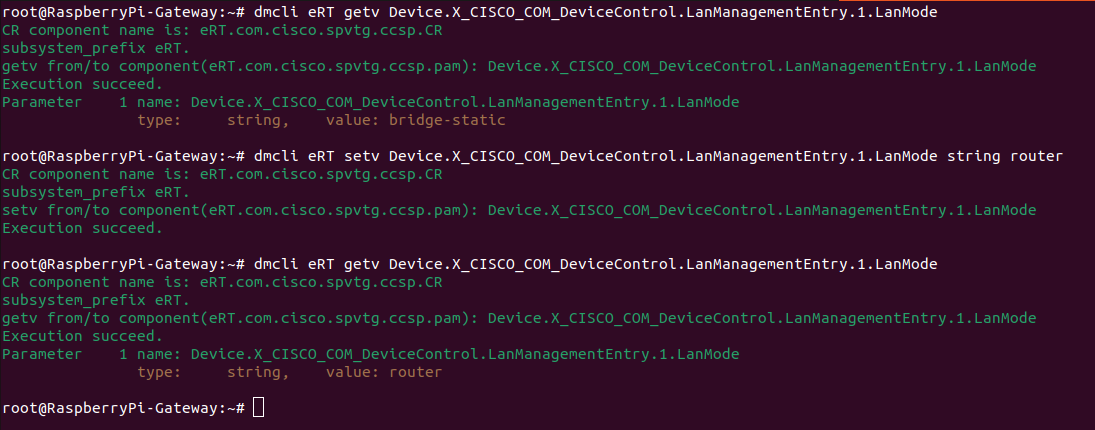
2. lan0 and llan0 interfaces should be deleted

3.Private WiFi Should be broadcasted
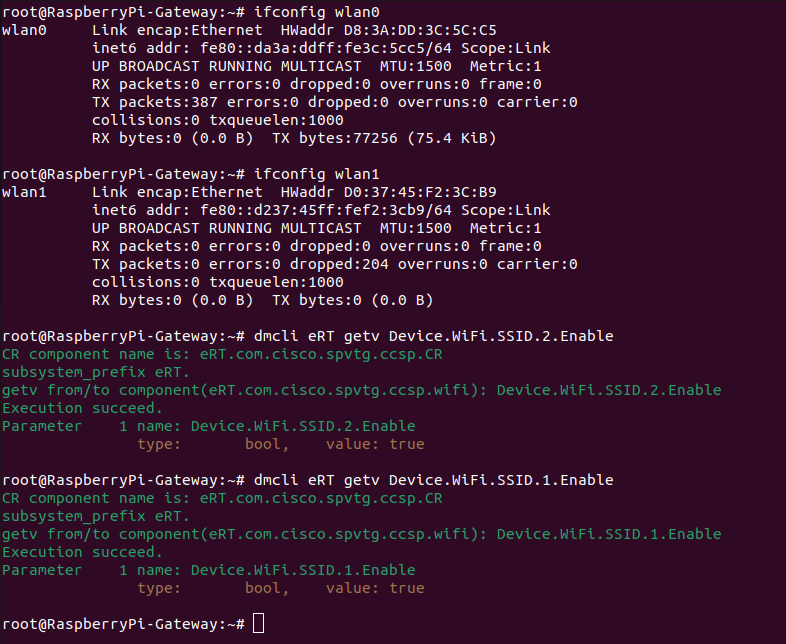
4. WiFi and Lan connected clients should get IP address and internet access
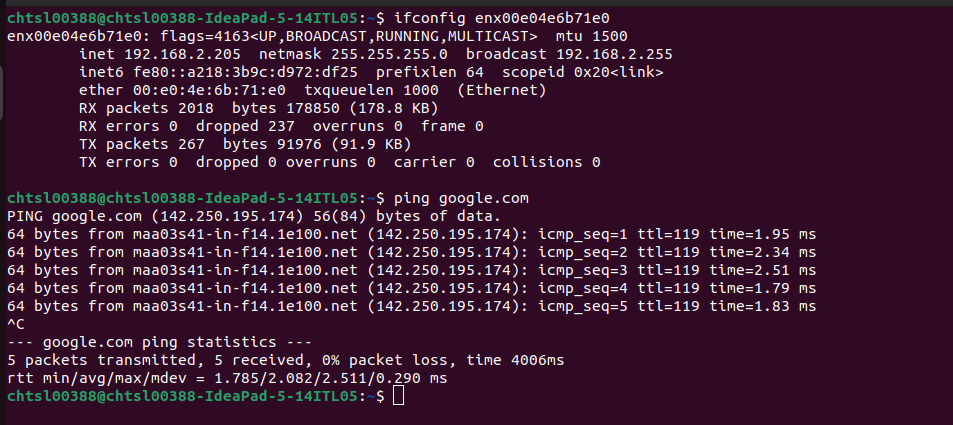
5.Admin UI should be accessible via connected clients.
6.brlan0 should have IP address
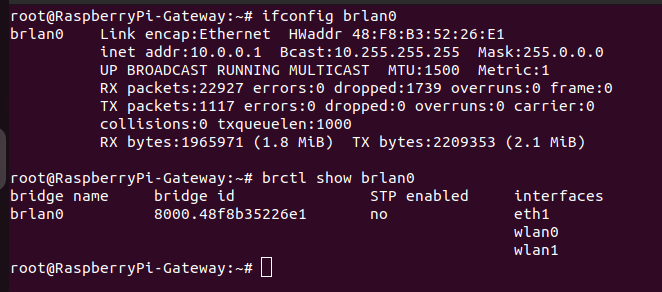
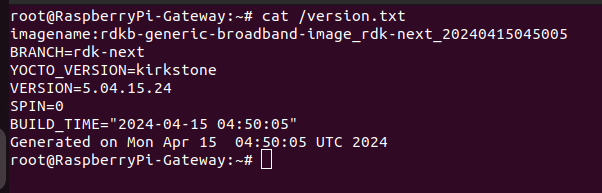
Tested Image details,
9. References
9.1. Ticket details
REFPLTB-2901 - Bridge-Mode functionality is not working properly after manual reboot Resolved
REFPLTB-2843 - RPI4 Kirkstone sanity in Bridge Mode - Failing Resolved
REFPLTB-2943 - Validation of bridgemode functionality for all flavors of RDKB RPI builds Resolved
9.2. Code review links
Overview
Community Forums
Content Tools
Tasks