

Page History
...
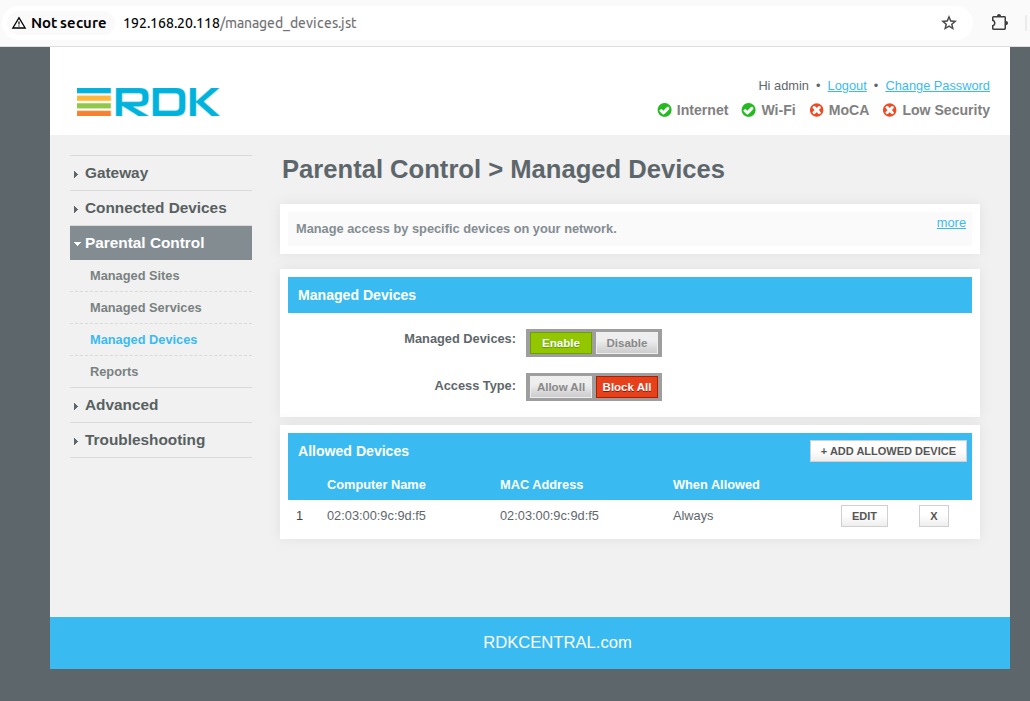
- Enable Managed Devices under Parental Control > Managed Devices tab
- When Access Type 'Block All' is enabled
- All connected clients should be blocked and internet should not work
- Click on 'Add Allowed Device' and add the 'Auto Learned device' and save it
- Internet should work on Added allowed client device
- When Access Type 'Allow All' is enabled
- Internet should work on all connected client.
- Click on 'Add Blocked Device' and add the 'Auto Learned device' and save it
- Internet should not work on the Added blocked device
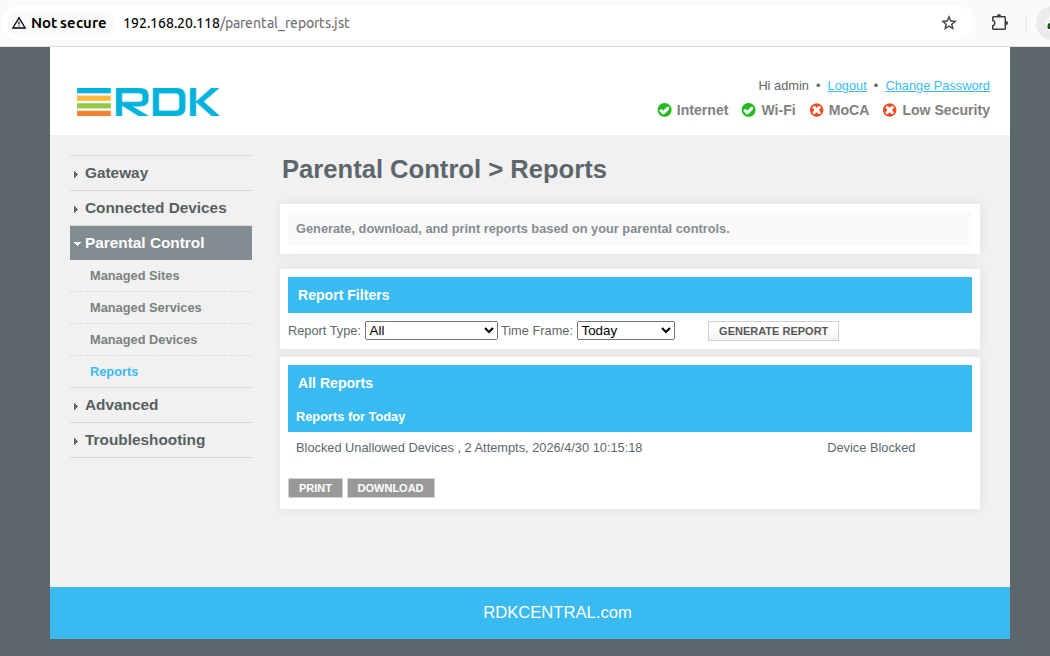
Reports
- Select the Report type: Time Frame: and click on 'Generate Report'
- Report should be generate for respective selection
Overview
Community Forums
Content Tools
Tasks