CMF
RDK Releases
Documentation
CMF Videos
Support
Support for CMF is provided by the RDK Support group.
To contact RDK Support:
Enter a ticket: https://jira.rdkcentral.com/
or
E-mail: support@rdkcentral.com
Support
Support for CMF is provided by the RDK Support group.
To contact RDK Support:
Enter a ticket: https://jira.rdkcentral.com/
or
E-mail: support@rdkcentral.com
| Table of Contents |
|---|
Release Tags
| Year | Release Milestone | Date | OSS | Vendor TAG |
|---|
| MW TAG | APP TAG | IA TAG |
|---|
| Notes | ||||||||
|---|---|---|---|---|---|---|---|---|
| 2026 | Q1 |
| 4.12.0 | 1.0.1 | 2026-Q1 |
| ||
| 2026 | M2 |
| 4.10.0 | 6.0.0 | 2026-M2 |
| ||
| 2026 | M1 | | 4.9.0 | feature/RDKMVE-1598 | 2026-M1 | |||
| 2025 | Q4 | 4.9.0 | 8.4.4.0 | 5.1.0 | 2025-Q4 | |||
| 2025 | Q3 | 4.7.4-community | 4.7.0 |
| 8.3.4.1 | 5.0.1 | 2025-Q3 |
|
| Year | Release | OSS Release Notes | Vendor | MW Release Notes | APP |
|---|---|---|---|---|---|
| 2026 | Q1 | 4.11.0 | 8.5.3.0 | 1.0.1 | |
| 2026 | M2 | V4.10.0 (M2-2026) | 8.5.2.1 | 6.0.0 | |
| 2026 | M1 | 4.9.0 | 4.9.1 (M12-2025) | 8.5.1.0 | NA |
| 2025 | Q4 | V4.9.0 (M11-2025) | 8.4.4.0 | 5.1.0 | |
| 2025 | Q3 | V4.7.0 (Q3/M09-2025) | 5.0.1 App Release Notes |
| Tabs Container | ||||||||||||||||||||||||||||||
|---|---|---|---|---|---|---|---|---|---|---|---|---|---|---|---|---|---|---|---|---|---|---|---|---|---|---|---|---|---|---|
| ||||||||||||||||||||||||||||||
|
The micro SD card should be formatted before writing the RPI image to it.
The minimum SD card size recommended is 8GB. It is preferred to use more (16 or 32 GB) considering the downloadable apps support in RDK. After flashing, remove the SD card and insert it to the Raspberry Pi 4 device' SD card slot.
Option1: Using Linux
Using dd on linux/macOS:
|
Option 2: Using Windows
Using balenaEtcher:
To flash the image on an SD card, you will need to download the balenaEtcher application - https://www.balena.io/etcher/
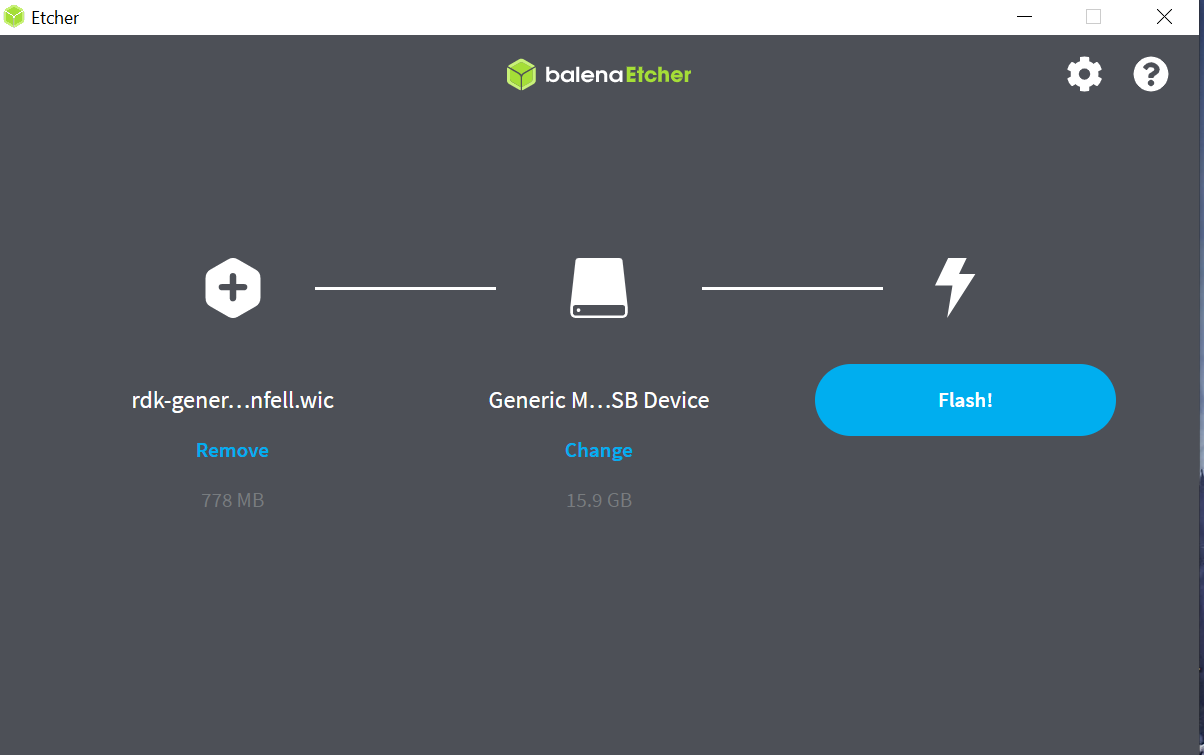
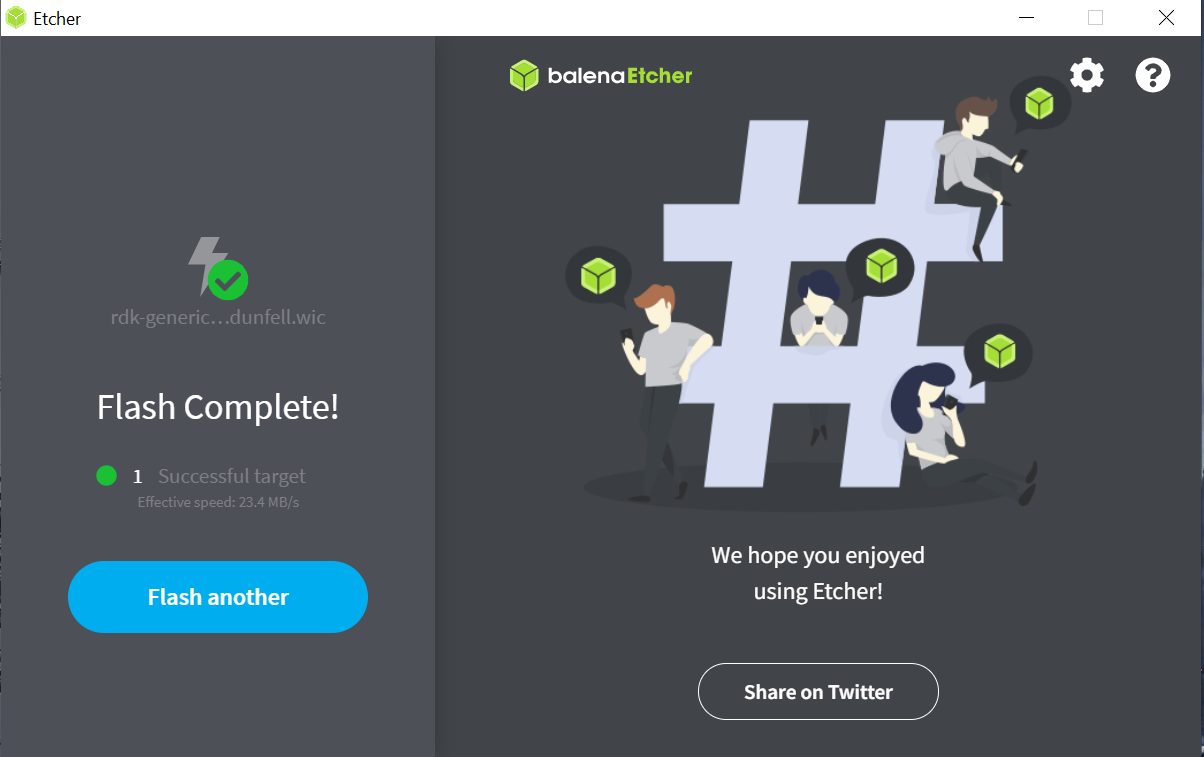
Open the application → Select the image from your download folder → Select the drive containing your SD card → Click “Flash” to copy the image onto the SD card.
In some cases, we have seen an error where latest versions of BalenaEtcher gets stuck at 7% flashing:
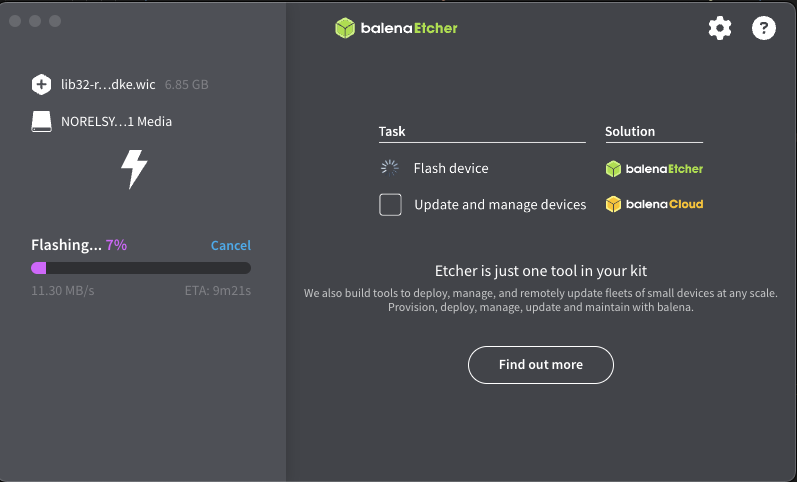
In this case, try downgrading Balena Ether version to 1.18.11
Power on the Raspberry Pi: