

Page History
...
The CPE is responsible for establishing the session to the server. The CPE keeps sending HTTP POST requests during the session. The session is closed as soon as both CPE & GenieACS have indicated that they have nothing more to send (response or new RPC).
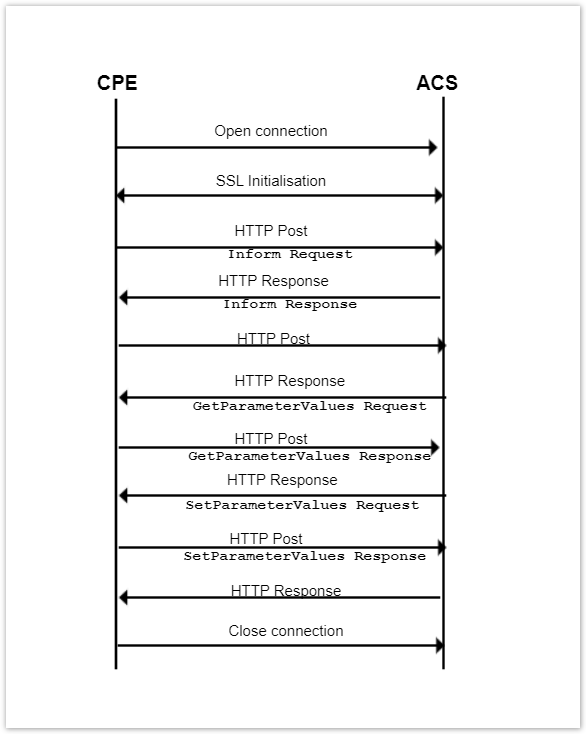
GenieACS Server.
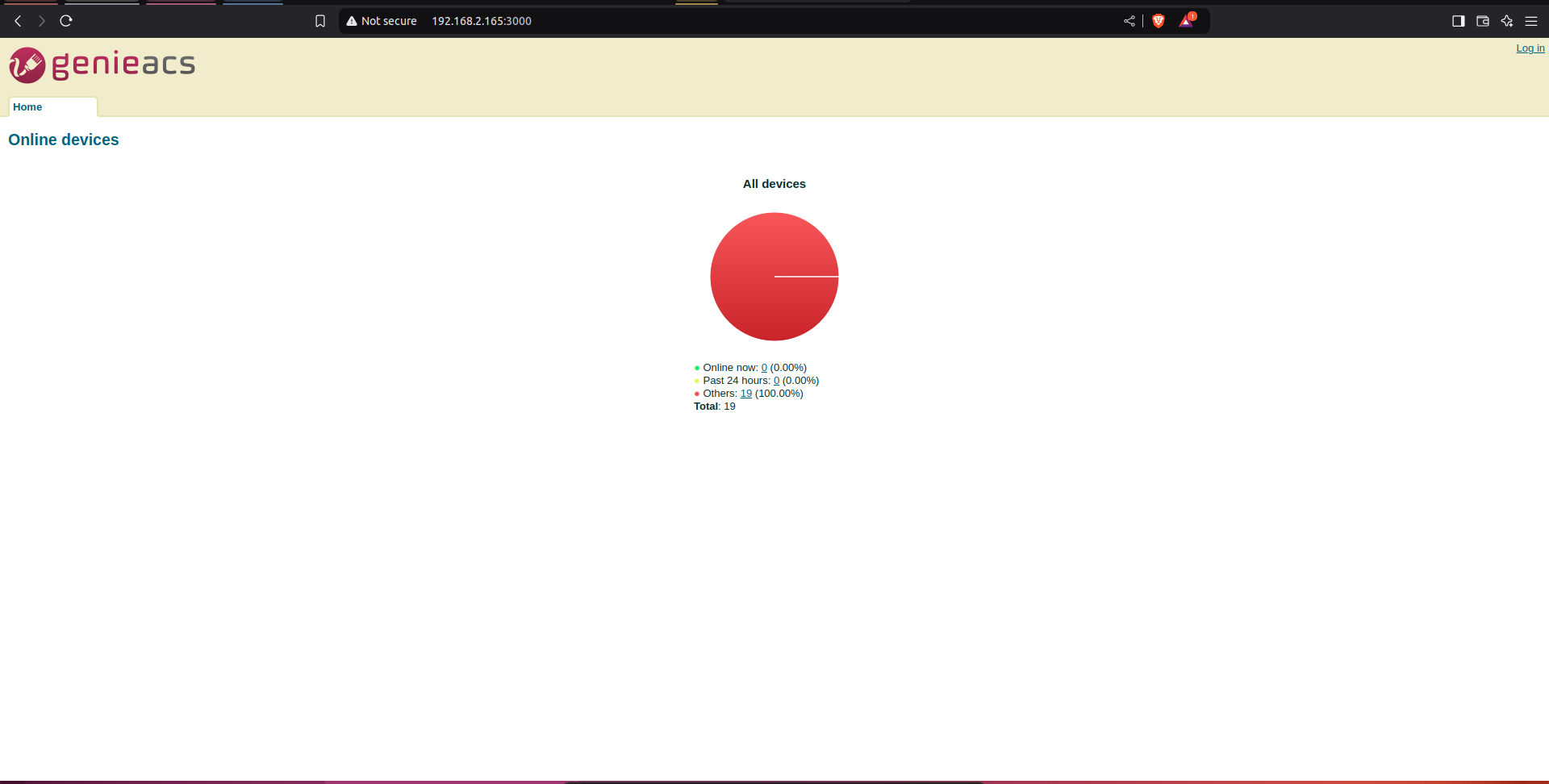
Ensure the GenieACS Server Setup is launched and running to establish the Client-Server communication
GenieACS server home page:
Test Procedure.
Client BPIR4 set-up
Steps to be followed:
1) Flash the RDK-Broadband image where the Tr069 Protocol Agent is enabled.
| Code Block | ||||||
|---|---|---|---|---|---|---|
| ||||||
root@Filogic-GW:/lib/systemd/system# systemctl status CcspTr069PaSsp.service
● CcspTr069PaSsp.service - CcspTr069PaSsp service
     Loaded: loaded (/lib/systemd/system/CcspTr069PaSsp.service; enabled; vendor preset: enabled)
     Active: active (running) since Thu 2022-04-28 17:43:08 UTC; 2 years 6 months ago
    Process: 3809 ExecStartPre=/bin/sh -c val=`syscfg get EnableTR69Binary`; if [ "$val" == "false" ]; then `systemctl stop CcspTr069PaSsp`; fi (code=exited, status=0/SUCCESS)
    Process: 3834 ExecStart=/usr/bin/CcspTr069PaSsp -subsys $Subsys (code=exited, status=0/SUCCESS)
   Main PID: 3856 (CcspTr069PaSsp)
      Tasks: 17 (limit: 4713)
     Memory: 9.2M
     CGroup: /system.slice/CcspTr069PaSsp.service
└─ 3856 /usr/bin/CcspTr069PaSsp -subsys eRT. |
2) Check for the CcspTr069PaSsp is active and listening to port 7547

3)Then, set the parameters for connecting CPE with ACS server.
| Code Block | ||||||
|---|---|---|---|---|---|---|
| ||||||
$ dmcli eRT setv Device.ManagementServer.EnableCWMP bool true $ dmcli eRT setv Device.ManagementServer.URL string http://192.168.2.165:7547/ $ dmcli eRT setv Device.DeviceInfo.X_RDKCENTRAL-COM_Syndication.TR69CertLocation string "/etc/cacert.pem" |
4) Following are the parameters needed to be checked for TR69.
...
Parameter Name
...
Expected Value
...
...
...
5) Now, from the GenieACS Server try to fetch the Connected Devices details.
GenieACS Server Login & Initial check.
1) Visit the GenieACS Server page
...
The Download message contains:
- CommandKey
- FileType
- URL
- Username
- Password
- FileSize
- TargetFileName
- DelaySeconds
- SuccessURL
- FailureURL
As mentioned in logs.
| Code Block | ||||||
|---|---|---|---|---|---|---|
| ||||||
241029-12:43:20.427125 [mod=TR69, lvl=INFO] [tid=155207] ACS Request now at: 1730205800 241029-12:43:20.453079 [mod=TR69, lvl=INFO] [tid=155207] ACS Request has completed with status code 0, at 1730205800 241029-12:48:20.271983 [mod=TR69, lvl=WARN] [tid=46956] CcspManagementServer_GetURL -#- ManagementServerURLID_PSM: http://192.168.2.165:7547/ 241029-12:48:20.273168 [mod=TR69, lvl=INFO] [tid=46956] rbus.c:5739 Method_InvokeInternal success response with returnCode:0 241029-12:48:20.273247 [mod=TR69, lvl=WARN] [tid=46956] bInitialContact switched to <TRUE> as MgmtCRPwdID was missing 241029-12:48:20.273272 [mod=TR69, lvl=WARN] [tid=46956] Manufacturer: Mediatek Inc. , OUI : 0xFFFFFFFE, ProductClass: XB3, SerialNumber: d273d53ac48e, ProvisionCode: d273d53ac48e 241029-12:38:45.572348 [mod=TR69, lvl=WARN] [tid=46956] CcspTr069PaSsp_DeviceDefaultUsernameGenerate -- default username is '0xFFFFFFFE-XB3-d273d53ac48e' 241029-12:38:45.572396 [mod=TR69, lvl=WARN] [tid=46956] CcspManagementServer_GetUsername -- default username generation Success 0xFFFFFFFE-XB3-d273d53ac48e 241029-12:38:45.572537 [mod=TR69, lvl=WARN] [tid=46956] CcspTr069PaSsp_retrieveSharedKey -- Plain Shared Key Available 241029-12:38:45.578569 [mod=TR69, lvl=WARN] [tid=46956] CcspTr069PaSsp_DeviceDefaultPasswordGenerate -- default password is '0e3d901efd6fcd9221c2f4f6789a771b50fb8c8d555be6f3e6e4159e0400e28b', hashLength = 0 |
Steps for Setting and getting data model parameters through ACS server.
Data-model info will be reflected in CPE (BPIR4) device if we set new parameter to data-mode through ACS server. Modified below mentioned data-model for reference . "Device.X_CISCO_COM_DeviceControl.LanManagementEntry.1.LanMode"
1) From ACS page scroll the data-models and refresh "Device.X_CISCO_COM_DeviceControl" data-model.
2) After refreshing all parameters wrt to "Device.X_CISCO_COM_DeviceControl" will be updated in acs server as mentioned below .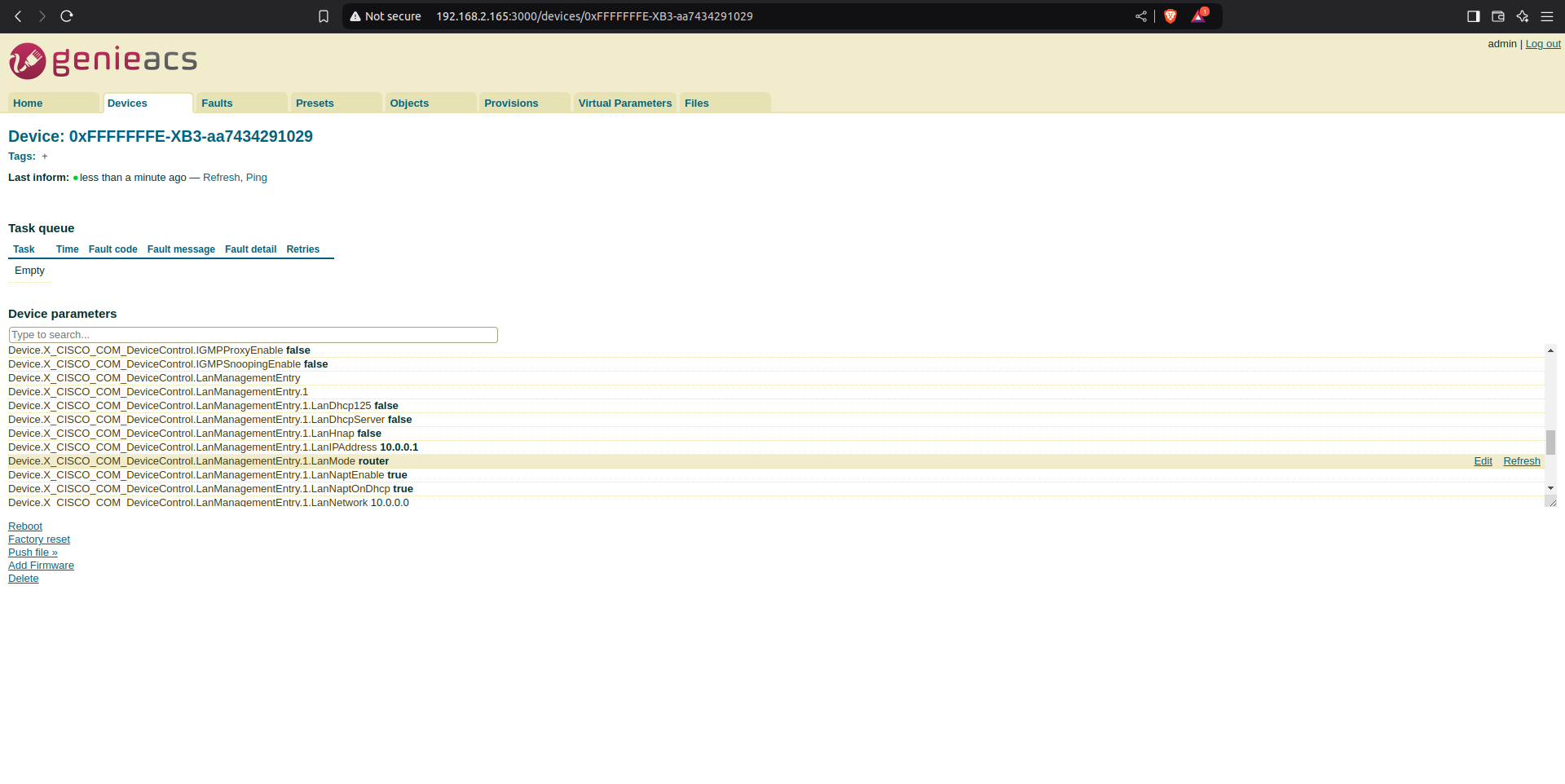
From the image we can see that "Device.X_CISCO_COM_DeviceControl.LanManagementEntry.1.LanMode" value is router.
3)From cpe(BPIR4) device side also we can see that LanMode is router.
| Code Block | ||
|---|---|---|
| ||
root@Filogic-GW:~# dmcli eRT getv Device.X_CISCO_COM_DeviceControl.LanManagementEntry.1.LanMode
CR component name is: eRT.com.cisco.spvtg.ccsp.CR
subsystem_prefix eRT.
Execution succeed.
Parameter    1 name: Device.X_CISCO_COM_DeviceControl.LanManagementEntry.1.LanMode
type: string, value: router |
4)From ACS server side change LanMode parameter to "bridge-state" from "router" mode using edit option, edit option will be visible at right side to the specified data-model.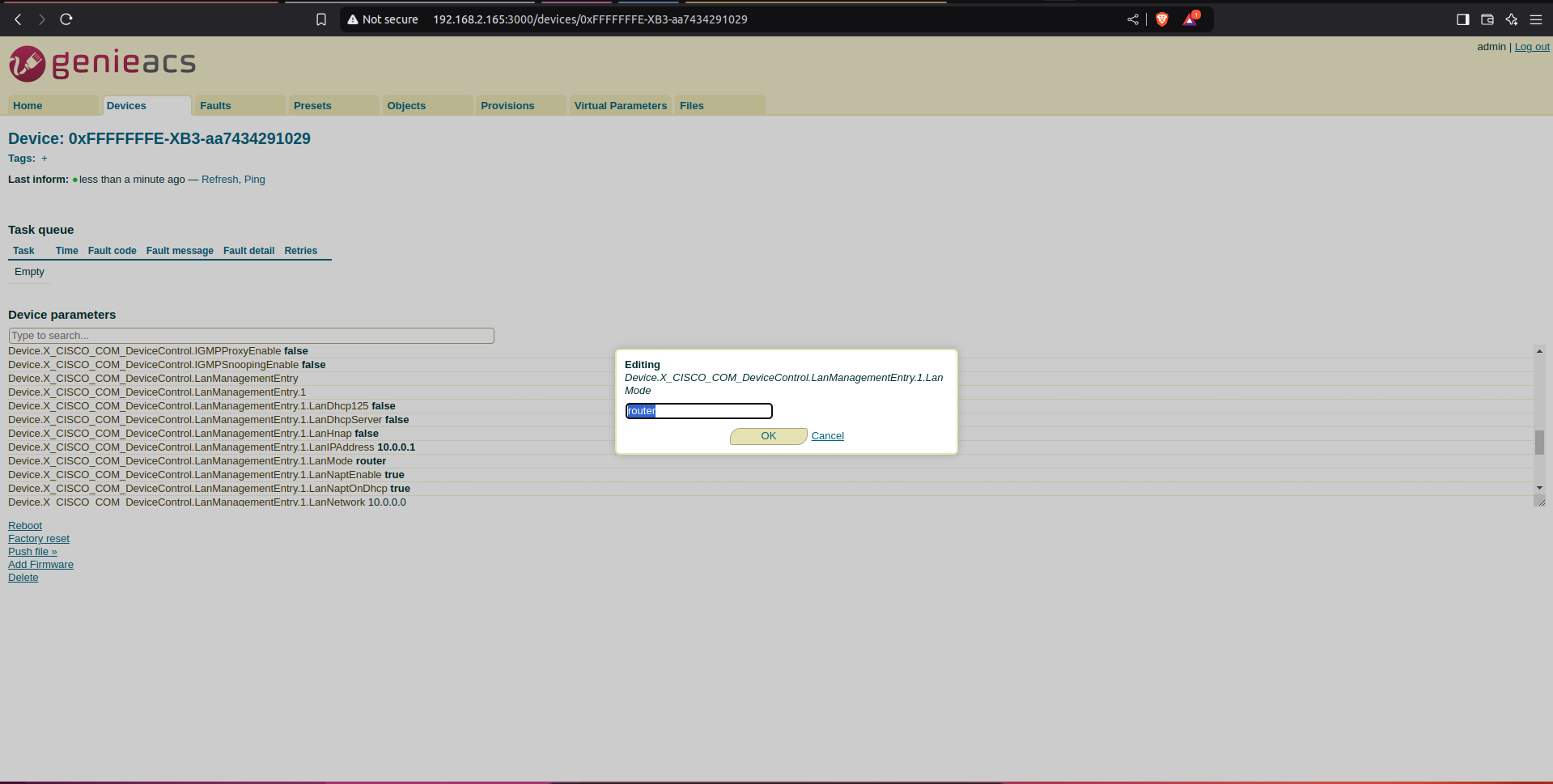
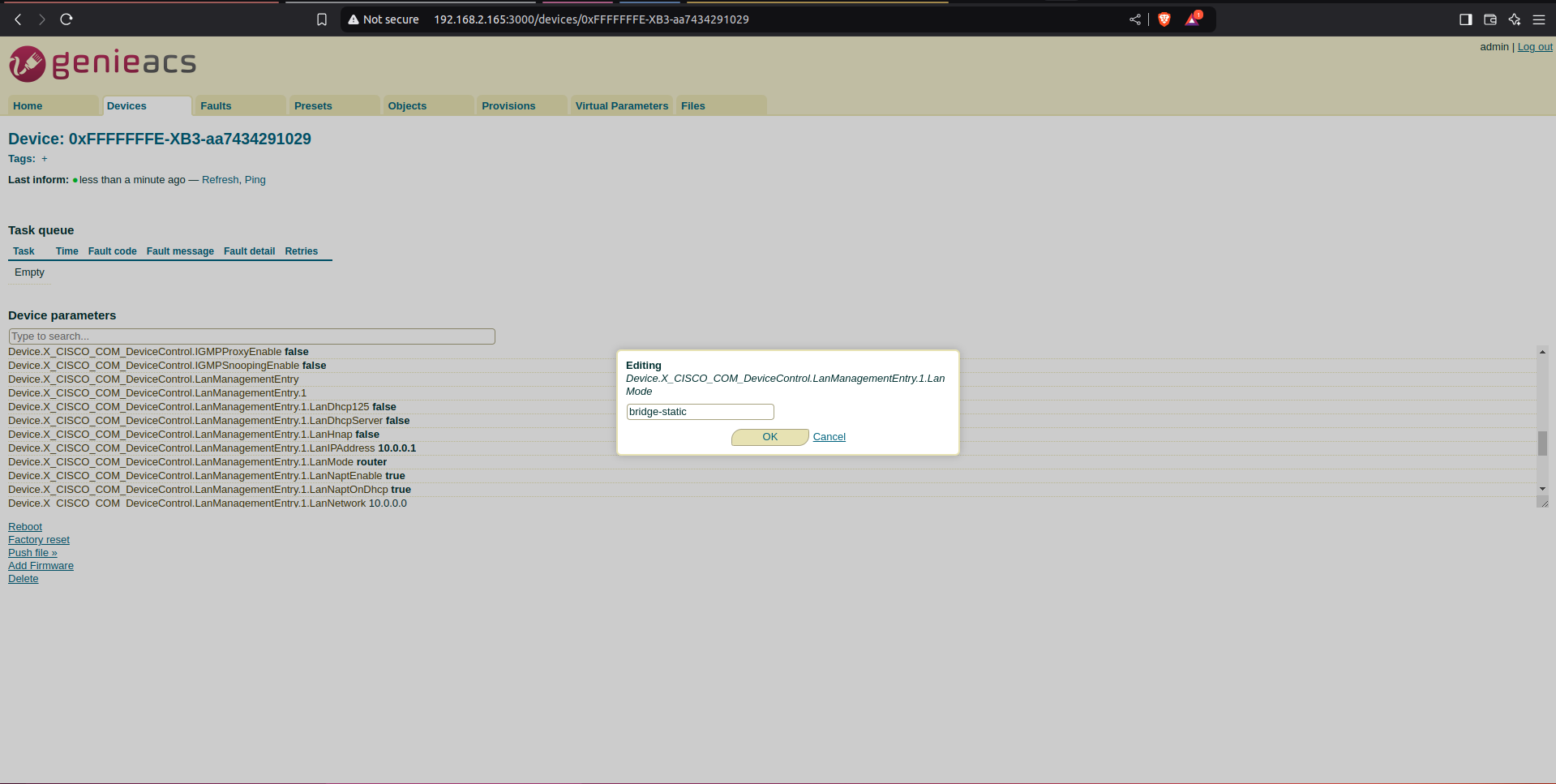
5)Then select commit option, which will be populated at right corner to confirm the edited changes.
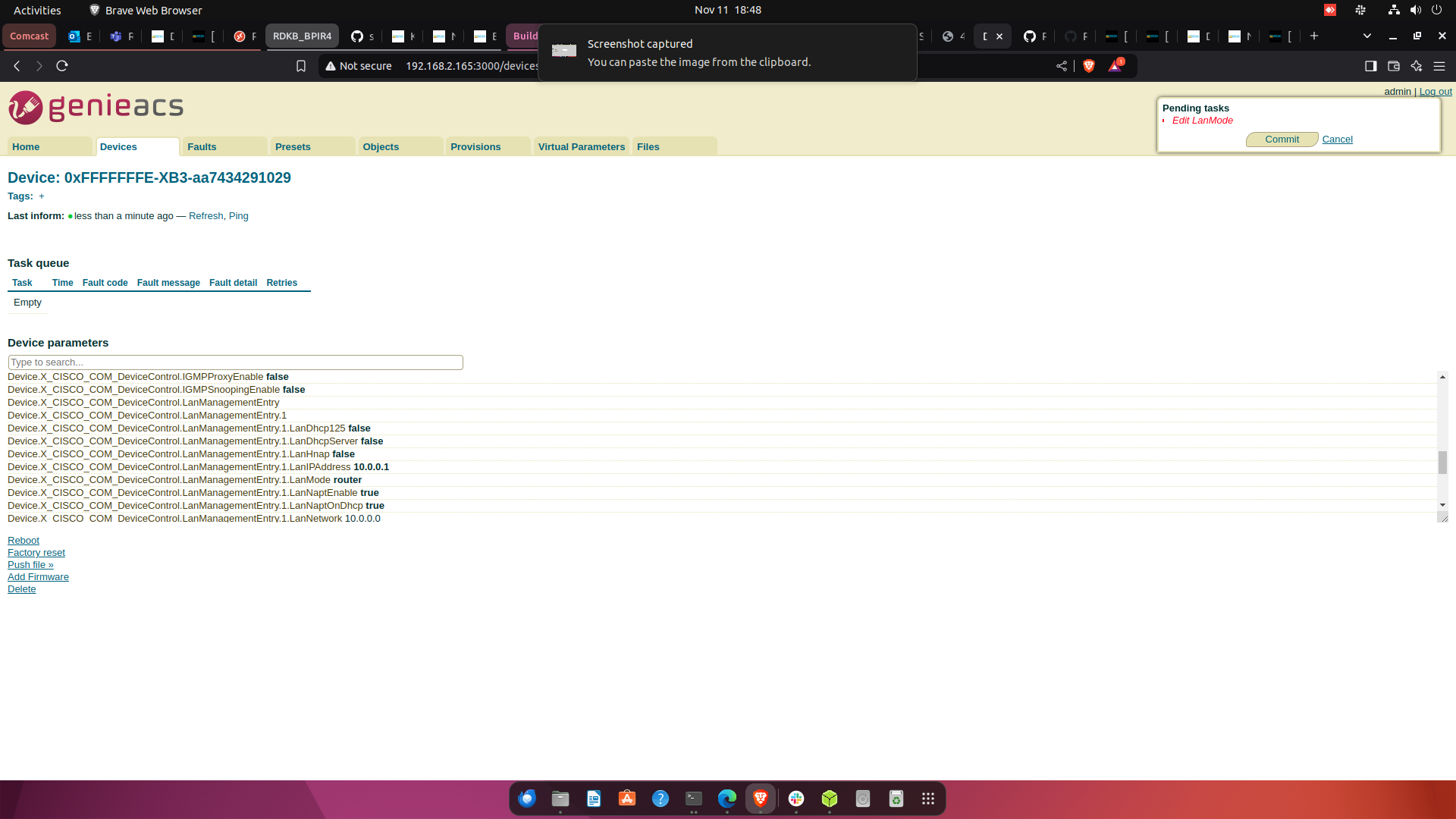
6) After selecting commit button, refresh the page. After refresh we can see updated LanMode parameter value.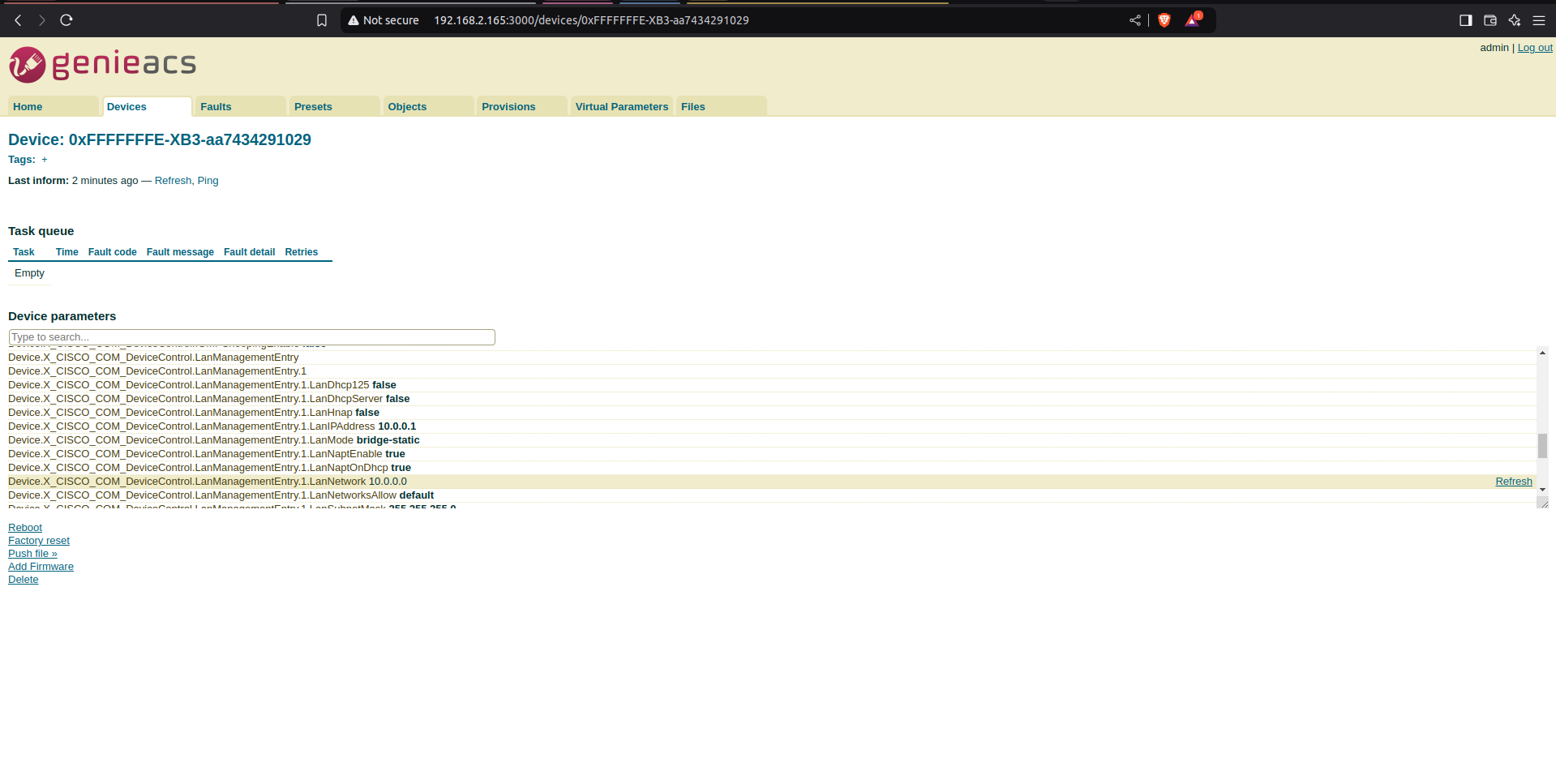
7)LanMode data-model info from CPE device(BPIR4) after modification from ACS.
| Code Block | ||||
|---|---|---|---|---|
| ||||
root@Filogic-GW:~# dmcli eRT getv Device.X_CISCO_COM_DeviceControl.LanManagementEntry.1.LanMode
CR component name is: eRT.com.cisco.spvtg.ccsp.CR
subsystem_prefix eRT.
Execution succeed.
Parameter    1 name: Device.X_CISCO_COM_DeviceControl.LanManagementEntry.1.LanMode
type: string, value: bridge-static |
By following above mentioned steps we can set data-model value from ACS server and same data model value will be updated in BPIR4 device.
Reference.
1) Jira for TR069 support in BPIR4: Jira server JIRA serverId 11deff04-0380-3a3d-a916-0849d4e573f7 key RDKBACCL-290
2)More Info with respect to tr69 validation in bpir4: Jira server JIRA serverId 11deff04-0380-3a3d-a916-0849d4e573f7 key RDKBACCL-476
...
Acs server is taking time to update all the parameters at initial and also we can see a highlighted info as "device is offline" when we edit any data-model value from acs server, but in background data gets updated.
Jira for this bug: Jira server JIRA serverId 11deff04-0380-3a3d-a916-0849d4e573f7 key RDKBACCL-478
Overview
Community Forums
Content Tools
Tasks