

Page History
...
Code Block root@Docsis-Gateway:~# dmcli eRT getv Device.WiFi.AccessPoint.1.WPS.Enable CR component name is: eRT.com.cisco.spvtg.ccsp.CR subsystem_prefix eRT. getv from/to component(eRT.com.cisco.spvtg.ccsp.wifi): Device.WiFi.AccessPoint.1.WPS.Enable Execution succeed. Parameter 1 name: Device.WiFi.AccessPoint.1.WPS.Enable type: bool, value: true root@Docsis-Gateway:~# dmcli eRT getv Device.WiFi.AccessPoint.1.WPS.X_CISCO_COM_WpsPushButton CR component name is: eRT.com.cisco.spvtg.ccsp.CR subsystem_prefix eRT. getv from/to component(eRT.com.cisco.spvtg.ccsp.wifi): Device.WiFi.AccessPoint.1.WPS.X_CISCO_COM_WpsPushButton Execution succeed. Parameter 1 name: Device.WiFi.AccessPoint.1.WPS.X_CISCO_COM_WpsPushButton type: int, value: 0 root@Docsis-Gateway:~# dmcli eRT setv Device.WiFi.AccessPoint.1.WPS.X_CISCO_COM_WpsPushButton int 1 CR component name is: eRT.com.cisco.spvtg.ccsp.CR subsystem_prefix eRT. setv from/to component(eRT.com.cisco.spvtg.ccsp.wifi): Device.WiFi.AccessPoint.1.WPS.X_CISCO_COM_WpsPushButton Execution succeed. root@Docsis-Gateway:~# dmcli eRT setv Device.WiFi.ApplyAccessPointSettings bool true CR component name is: eRT.com.cisco.spvtg.ccsp.CR subsystem_prefix eRT. setv from/to component(eRT.com.cisco.spvtg.ccsp.wifi): Device.WiFi.ApplyAccessPointSettings Execution succeed. root@Docsis-Gateway:~# dmcli eRT getv Device.WiFi.AccessPoint.1.WPS.X_CISCO_COM_WpsPushButton CR component name is: eRT.com.cisco.spvtg.ccsp.CR subsystem_prefix eRT. getv from/to component(eRT.com.cisco.spvtg.ccsp.wifi): Device.WiFi.AccessPoint.1.WPS.X_CISCO_COM_WpsPushButton Execution succeed. Parameter 1 name: Device.WiFi.AccessPoint.1.WPS.X_CISCO_COM_WpsPushButton type: int, value: 0 In BPI Target Board: root@Filogic-GW:/lib/systemd/system# dmcli eRT setv Device.WiFi.AccessPoint.1.WPS.X_CISCO_COM_ActivatePushButton bool true CR component name is: eRT.com.cisco.spvtg.ccsp.CR subsystem_prefix eRT. Execution succeed. root@Filogic-GW:/lib/systemd/system# dmcli eRT setv Device.WiFi.AccessPoint.2.WPS.X_CISCO_COM_ActivatePushButton bool true CR component name is: eRT.com.cisco.spvtg.ccsp.CR subsystem_prefix eRT. Execution succeed.
WPS Hardware Key Press in BPI
- The Hardware key press is handled as a separate utility under broadband-utils repo:
https://github.com/rdkcentral/broadband-utils
In this implementation, Netlink sockets are handling the WPS Key press event (netlink-button-monitor.service) and further functionality is carried out by rbus API's which intimates OneWifi to carry out the WPS operation.
The recipe is present under:
meta-cmf-bananapi/meta-rdk-mtk-bpir4/recipes-common/rdk-wps-monitor/rdk-wps-monitor.bb
Test Results in BPI: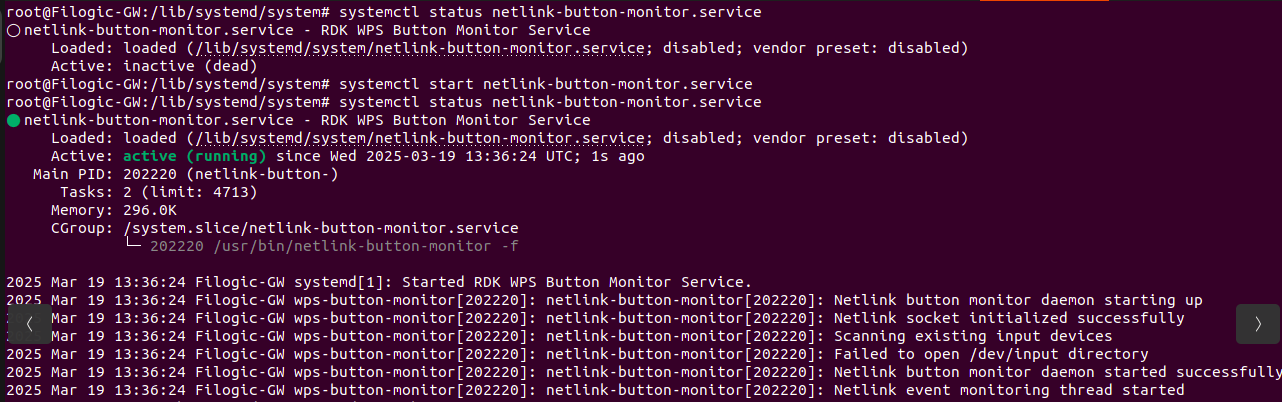
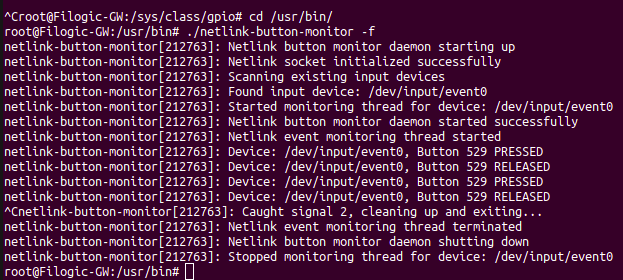
WPS Initiation:
1.Change the SSID of 2G and 5G from Web UI, to test WPS feature functionality.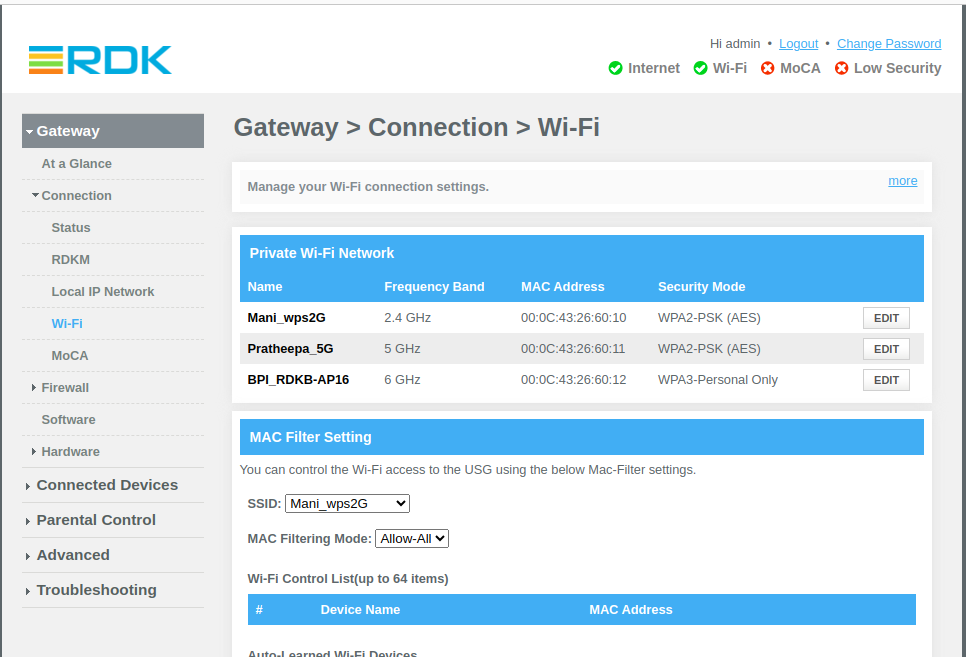
2. Press the WPS PBC from BananaPi hardware. Try connecting 2G and 5G clients with new SSID without entering the password.
2G Client Connected (via Mobile):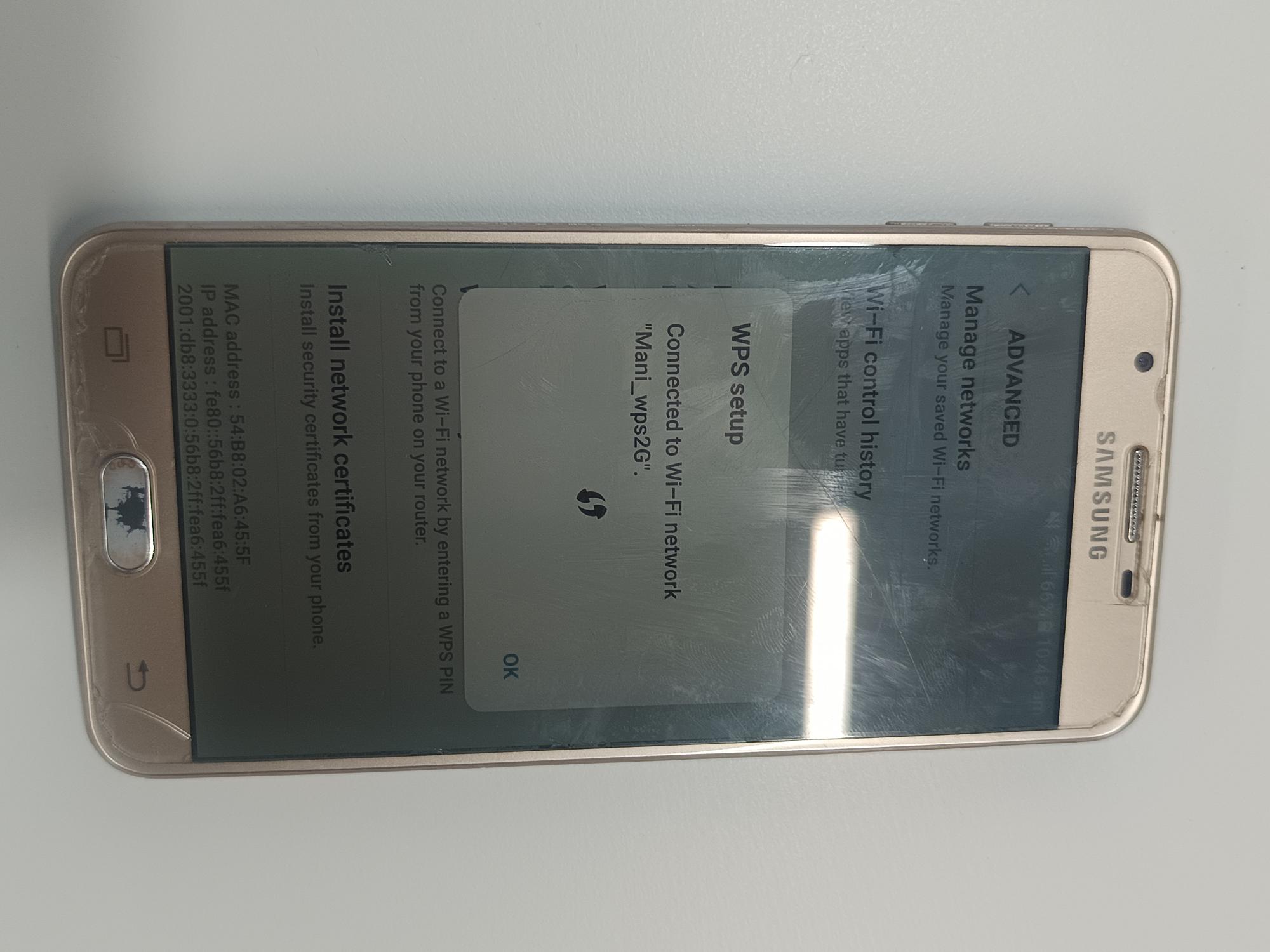
5G Client connected (via Laptop):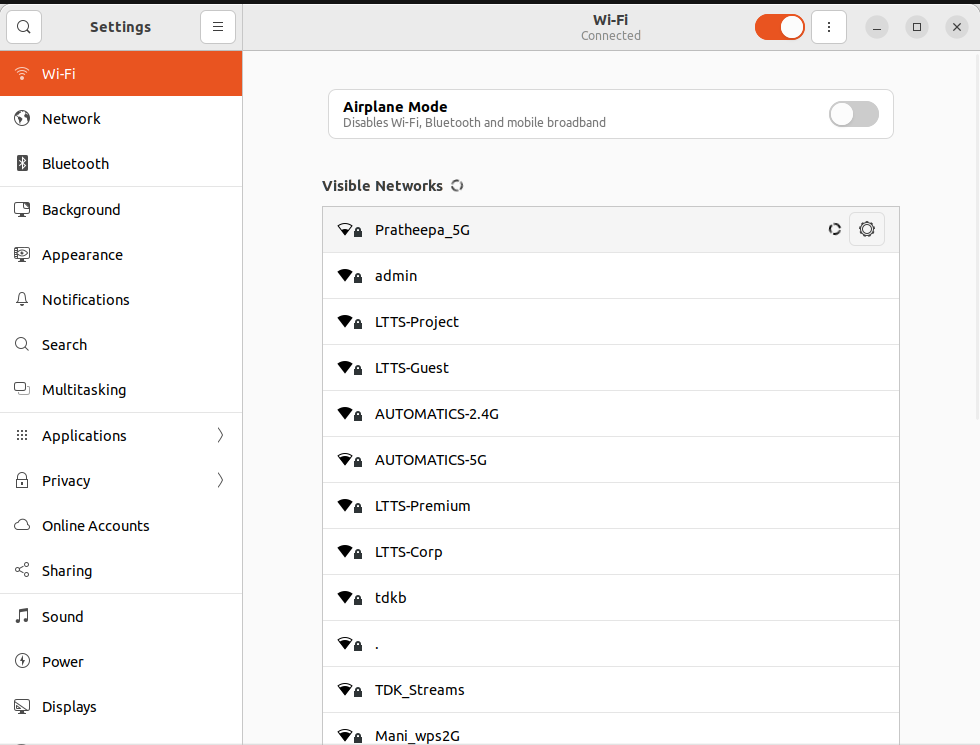
3. Check the internet connectivity for both the clients.
NOTE:
6GHz is WPA3 personal-only. Does not support WPS!
- The Hardware key press is handled as a separate utility under broadband-utils repo:
...
UI validation:
By default WPS button is disabledhidden. For that , change the default security mode for 6g to enable the WPS button in WebUI.
Note - WPS button will be disabled hidden in UI if we have security mode as "None" or "WPA3-Personal" for any Access-Points as per the jst code.
...
Overview
Community Forums
Content Tools
Tasks