You are viewing an old version of this page. View the current version.

Compare with Current View Page History

« Previous Version 11 Next »


Release Tags


Year

Release

Milestone

DateOSSVendor TAGMW TAG

APP

TAG

IA TAGNotes
2026Q1


4.12.0

8.5.3.0

1.0.12026-Q1
  • This is the RDK8 RC1 Candidate
  • Uses OSS Consumption Model so OSS is no longer built as a standalone layer
  • First release to use appmanager and signed BOLT packages
  • Applications are now DAC applications and are integrated as part of Image Assembler so Application Layer no longer exists, instead the application tag refers to the factory bolt application json configuration
 2026M2


4.10.0

8.5.2.1

6.0.02026-M2
  • This release uses the OSS Consumption Model (OSS is now part of Vendor Layer)
  • This will be the last RDK release using RDKShell for Application management functionalities. After this release, RDK AppManagers framework will be used.
  • This will be the last Application Layer release. All applications will be DAC‑based starting from the next RDKE releases. Therefore, the Application Layer will be removed from the RDKE stack.
  • BRCM 974116 only B0 is now supported.
 2026M1 


4.9.0

8.5.1.0

feature/RDKMVE-15982026-M1


2025Q4 4.9.08.4.4.05.1.0 2025-Q4 
2025Q3 4.7.4-community4.7.08.3.4.15.0.12025-Q3
  • The M9 vendor release which was used for Q3 used OSS 4.7.4-community, the MW and upper layers used 4.7.7 as some NTP and network manager fixes were required


Quarterly Release Layer Manifest Details


Component

Group

OSS

4.7.4-community

OSS

4.7.7

RPI Vendor

4.7.0

RPI MW

8.3.4.1

RPI App

5.0.1

RPI IA

2025-Q3

Comment

buildscriptsbuildscripts1.0.11.0.11.0.11.0.11.0.11.0.1
meta-application-rdke-devlayers----5.0.1-
meta-application-rdke-release
-----5.0.1
meta-image-assembler-rdke
-----4.1.3
meta-middleware-release-rdkelayers--
-8.3.4.18.3.4.1
meta-openembeddedoerdk-4.0.0rdk-4.0.0rdk-4.0.00rdk-4.0.0rdk-4.0.0rdk-4.0.0
meta-oss-common-configextention1.2.01.2.11.3.01.3.01.3.01.3.0
meta-oss-reference-developmentlayers2.0.02.0.0----
meta-oss-reference-releaselayers--4.7.4-community4.7.74.7.74.7.7OSS 4.7.4-community is used in vendor layer.  NTP and networkmanager changes are merged as hotfix to 4.7.7 OSS.
meta-oss-vendor-raspberrypiproducts--4.1.0---
meta-product-raspberrypiproducts--4.1.04.1.0-hotfix14.1.0-hotfix14.1.0-hotfix1Hotfix added over 4.1.0 to remove Miracast from unsupported platform (RPI) as a temporary fix for crash issue.
meta-python2oerdk-4.0.0rdk-4.0.0

-

rdk-4.0.0--
meta-raspberrypilayers--

ab5815a2ca0a460398878f77a7e39bc1a6dfe0bf" upstream="kirkstone

---
meta-rdk-auxiliarylayers1.3.1-community1.3.11.5.11.4.11.4.11.4.11.5.1 is used in vendor layer. Difference is because DNSMasq fixes are merged to 1.4.1 hotfix release.
meta-rdk-halif-headersrdk--3.0.23.0.2--
meta-rdk-oss-referencelayers4.7.4-community4.7.74.7.4-community4.7.74.7.74.7.7OSS 4.7.4-community is used in vendor layer.  NTP and networkmanager changes are merged as hotfix to 4.7.7 OSS.
meta-stack-layering-supportstacklayering2.1.22.1.23.0.13.0.13.0.13.0.1
meta-vendor-raspberrypi-devlayers--4.7.0---
meta-vendor-raspberrypi-releaserelease---4.7.04.7.04.7.0
pokyoerdk-4.4.0rdk-4.4.0rdk-4.4.1rdk-4.4.1rdk-4.4.1rdk-4.4.1
rdke-common-configconfigs1.0.41.0.41.0.81.0.81.0.81.0.8
rdke-middleware-generic-manifest
---1.11.0-community--
rdke-stb-configconfigs--1.0.01.0.01.0.01.0.0


Host Setup & Build Instructions


Use RDK Docker Builder which supports:

  • Building any branch or tag for all RDK-E layers
  • Building the RDK8 Release 
    • VENDOR, MIDDLEWARE and IMAGE-ASSEMBLER Layers
    • Image Assemebler
      • Image Assembler can be built with:
        • no bolt applications
        • RDK8 prebuilt/signed bolt applications
        • User set of signed bolt applications 
  • Building the RDK 7 Release
    • OSS, VENDOR, MIDDLEWARE, APPLICATION and IMAGE-ASSEMBLER layers
  • RDK Docker Builder also supports building the opensource factory bolt applications (base bolt, wpe and refui) from 2026 Q1 onwards

Note RDK Docker Builder is currently not supported on MAC, we have tested it on Ubuntu Focal (20.04) and Noble (22.04)

If you do not wish to use docker please see the following page for host setup:

RDK-E Build Environment Host Setup

Note RDK 8 is based on kirkstone and as such you should use Ubuntu Focal 20.04

Note as the RPI is an opensource platform you do not need to create Personal Access Tokens (PAT) or configure your .netrc 

Building the Vendor Layer

Use RDK Docker Builder or Please refer to the instructions @ https://github.com/rdkcentral/vendor-manifest-raspberrypi/tree/develop

Building the Middleware Layer

Use RDK Docker Builder or Please refer to the instructions @ https://github.com/rdkcentral/middleware-manifest-rdke/tree/develop

Building the Image Assembler (Full Stack Image Layer)


Use RDK Docker Builder or Please refer to the instructions @ https://github.com/rdkcentral/image-assembler-manifest-rdke

Building bolt applications 

Use RDK Docker Builder or for information and instructions on building bolt applications please see 

Factory Apps on RDK8 & https://github.com/rdkcentral/bolt-pkg-build-scripts

From 2026-Q1 onwards


Flashing Instructions


The micro SD card should be formatted before writing the RPI image to it.  

The minimum SD card size recommended is 8GB. It is preferred to use more (16 or 32 GB) considering the downloadable apps support in RDK. After flashing, remove the SD card and insert it to the Raspberry Pi 4 device' SD card slot.


Option1: Using Linux

Using dd on linux/macOS:

bzcat <IMAGE_NAME>.wic.bz2 | sudo dd of=/dev/sdb bs=4M iflag=fullblock oflag=direct conv=fsync


Option 2: Using Windows

Using balenaEtcher:

To flash the image on an SD card, you will need to download the balenaEtcher application - https://www.balena.io/etcher/

Open the application → Select the image from your download folder → Select the drive containing your SD card → Click “Flash” to copy the image onto the SD card.
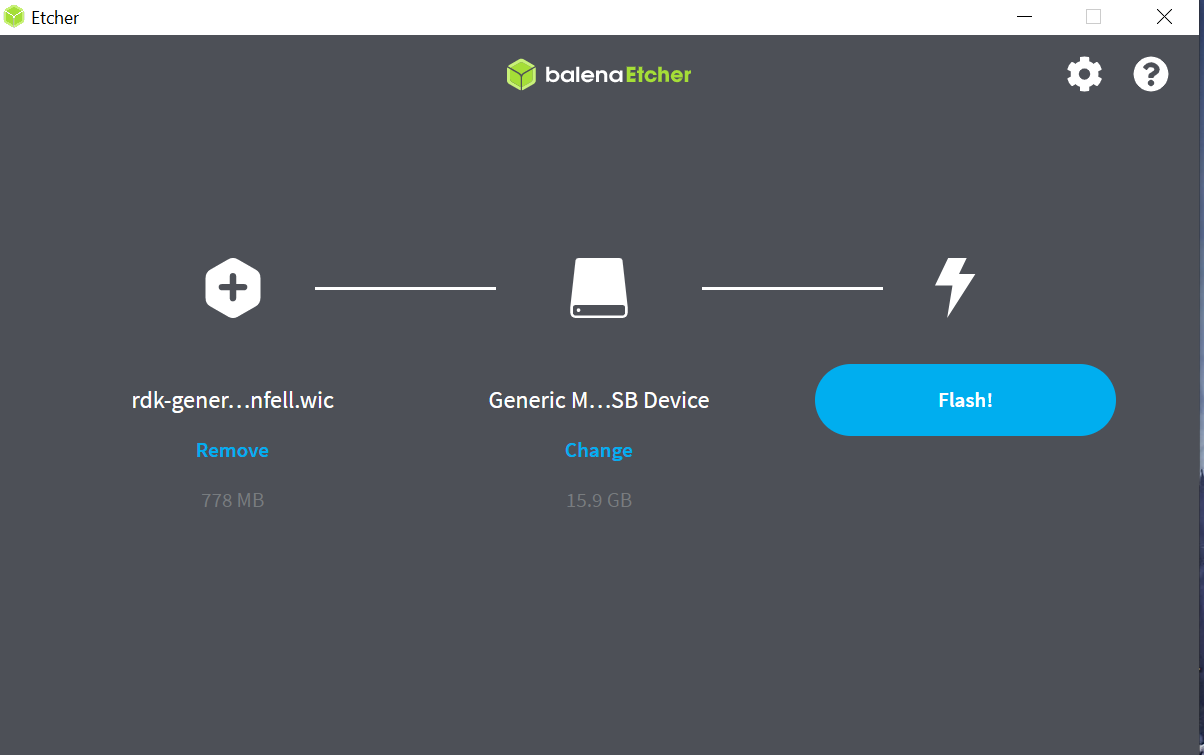
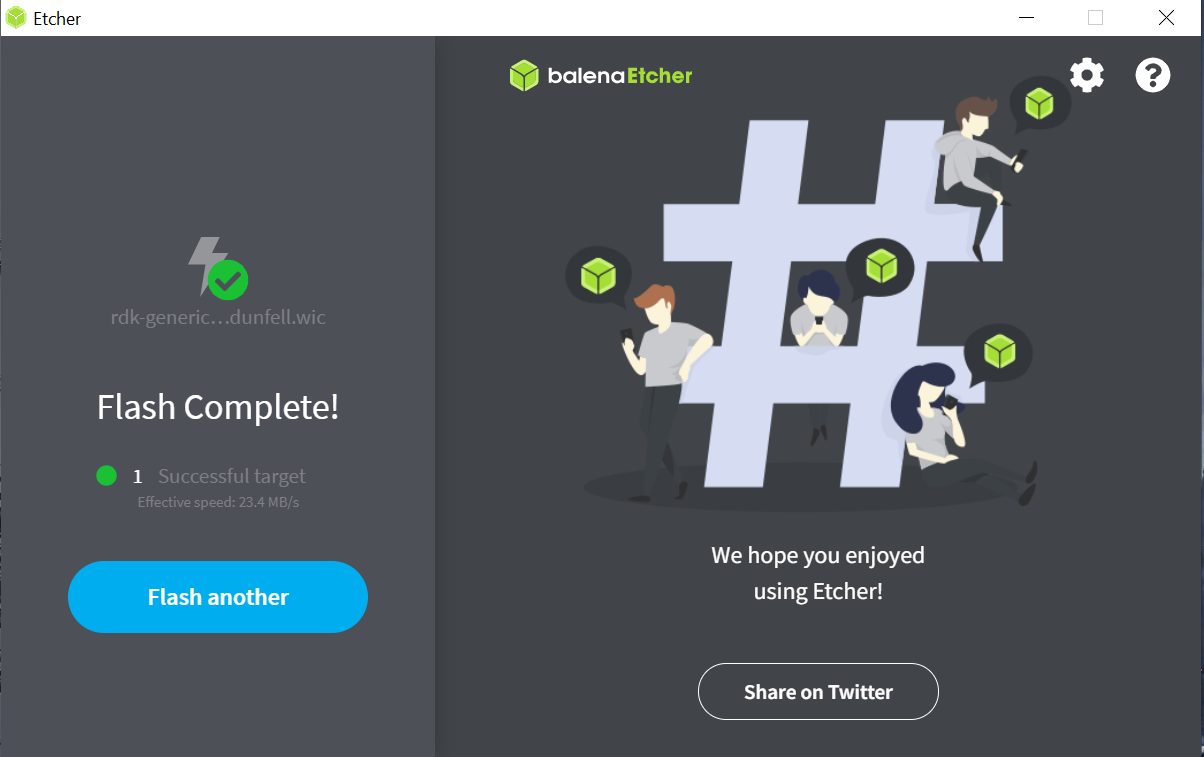
In some cases, we have seen an error where latest versions of BalenaEtcher gets stuck at 7% flashing:
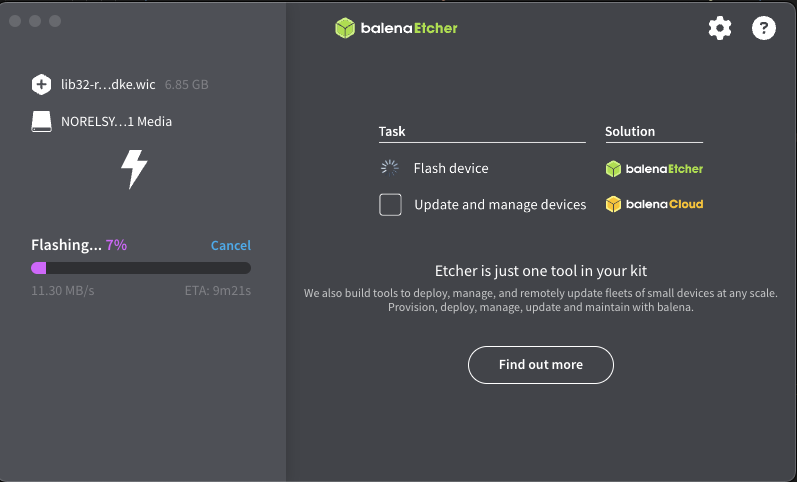
In this case, try downgrading Balena Ether version to 1.18.11

Power on the Raspberry Pi:
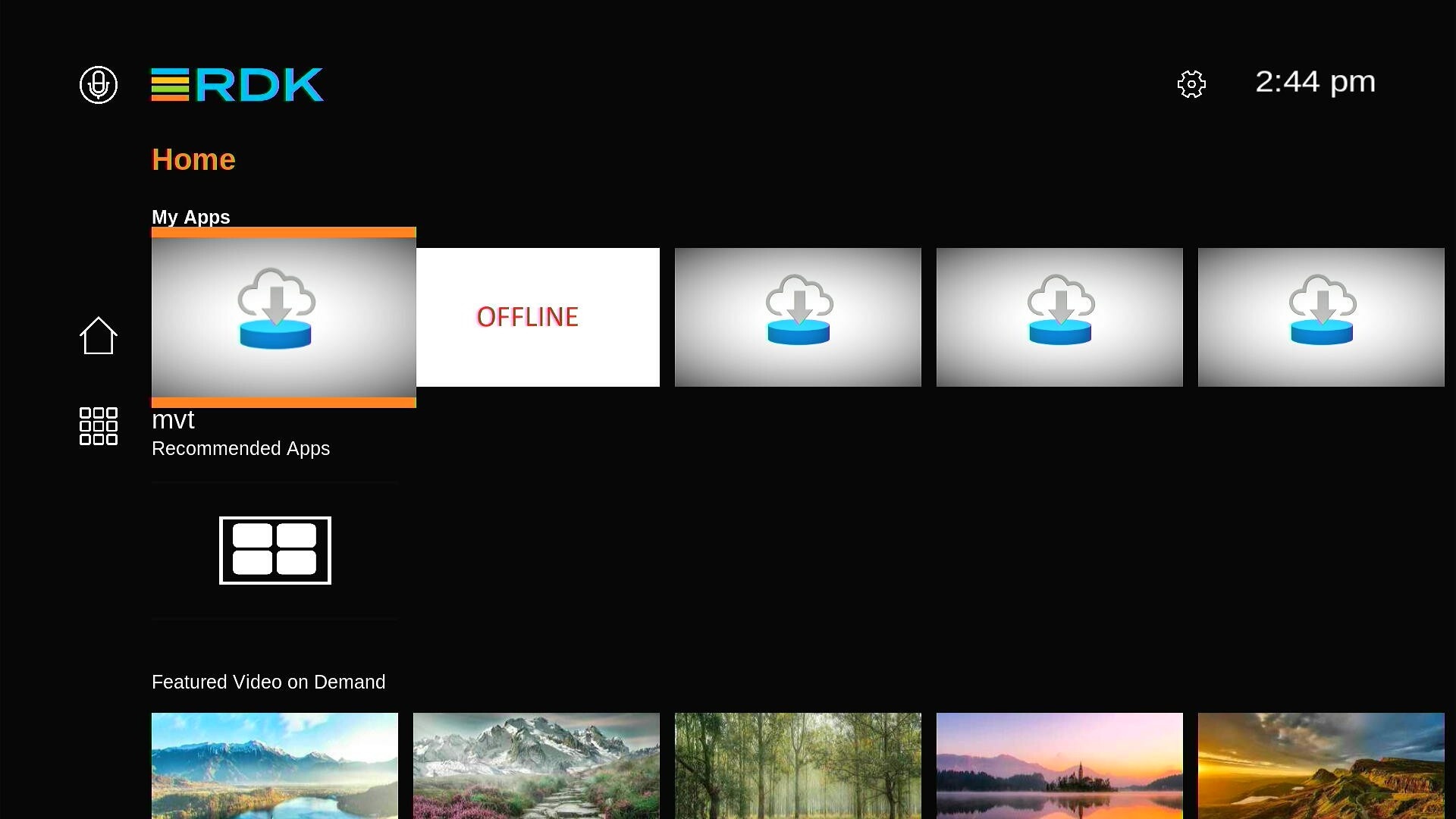
  • TV screen will display the default RDK UI as shown below.


  • For ssh, we can use ssh root@<ip-address>
  • For verifying the image details, we can use cat /version.txt command.


  • No labels