


Introduction
Added RDKM logo in UI page and corresponding syndication DM parameters aslo updated with respect to emulator.
Environment Setup
Modified/Added PHP files to bring up the RDKM Logo upgradation ,
Modified PHP/CSS flies are below
- common.css
- global.css
- header.php
- nav.php
- footer.php
- rediection_header.php
- index.php
- network_setup.sh
- network_diagnostics_tool.php
Added logo_rdk.png and removed logo_xfinity.png file.
Executing System
Executes the below steps to confirm the partner id change and logo modifications,
- Login the WebuI
- Go to Troubleshooting > Network Diagnostic Tool.
- Under Connection menu, RDKM tab will be available .
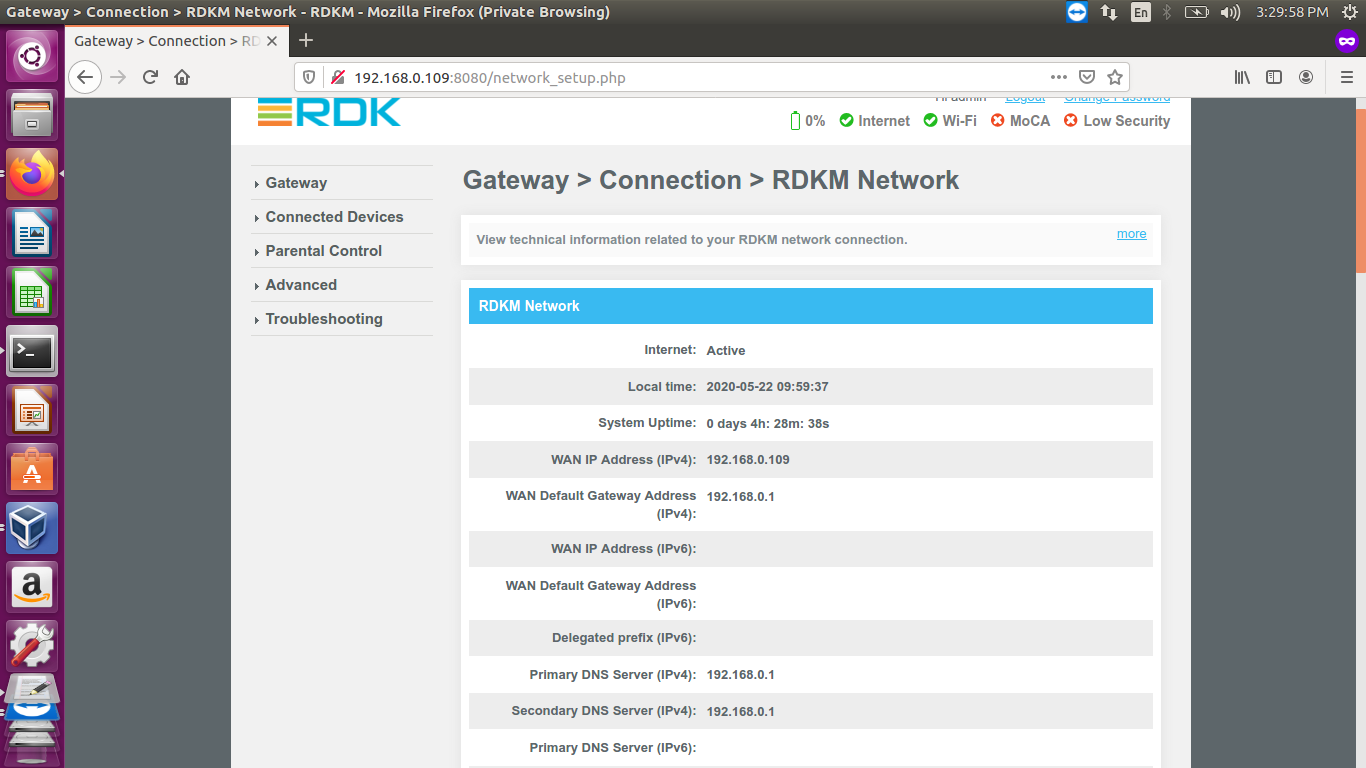
- If we clicked RDKM tab , it will redirect to network_setup.sh under the name of Gateway > Connection > RDKM Network
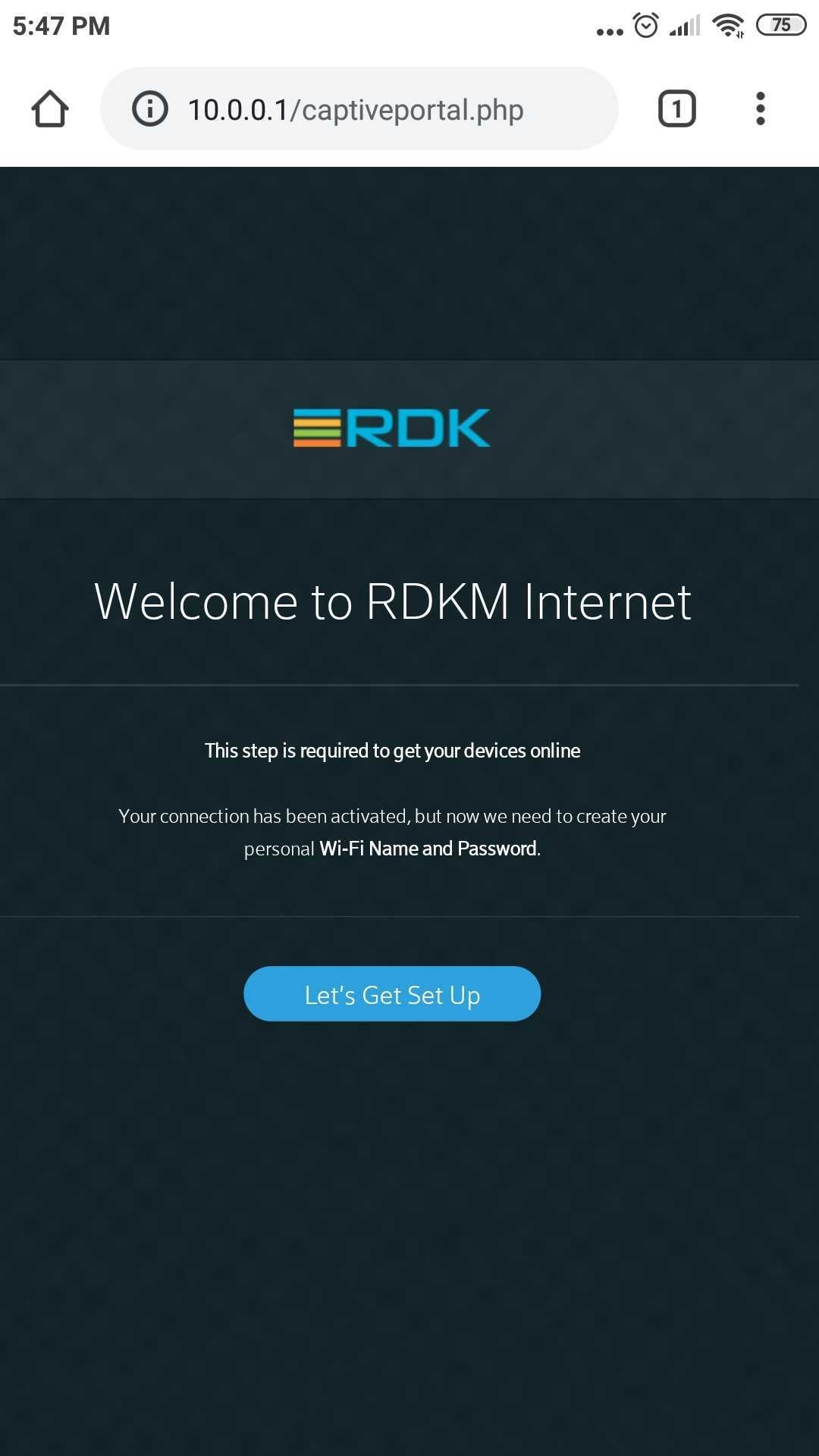
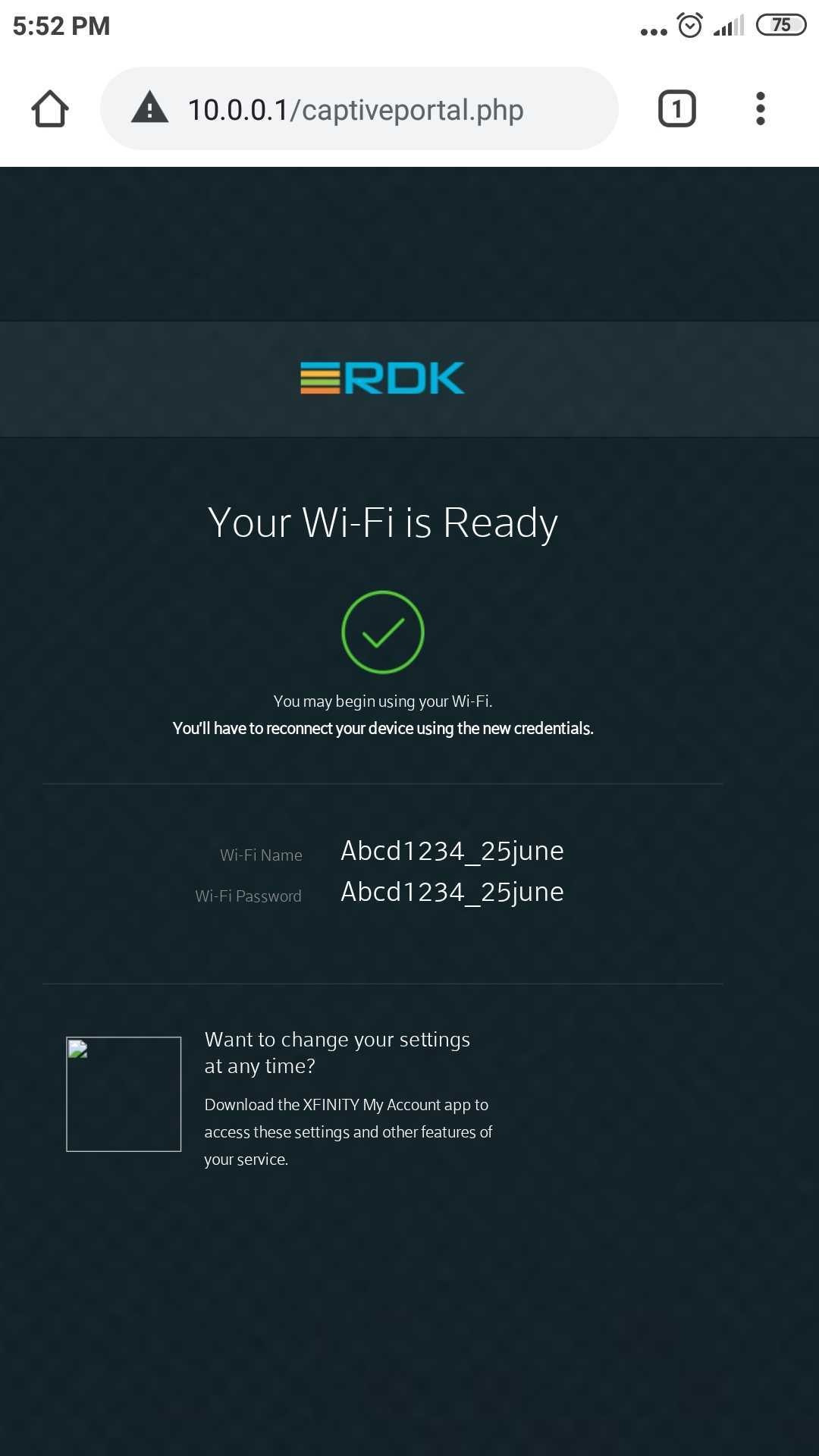
- Captival Portal UI should be change with RDKM logo
- Captive portal header also changed with RDKM information
- syscfg get PartnerID - value should be return as RDKM.
Using dmcli to check the DM parameters of Syndication objects.
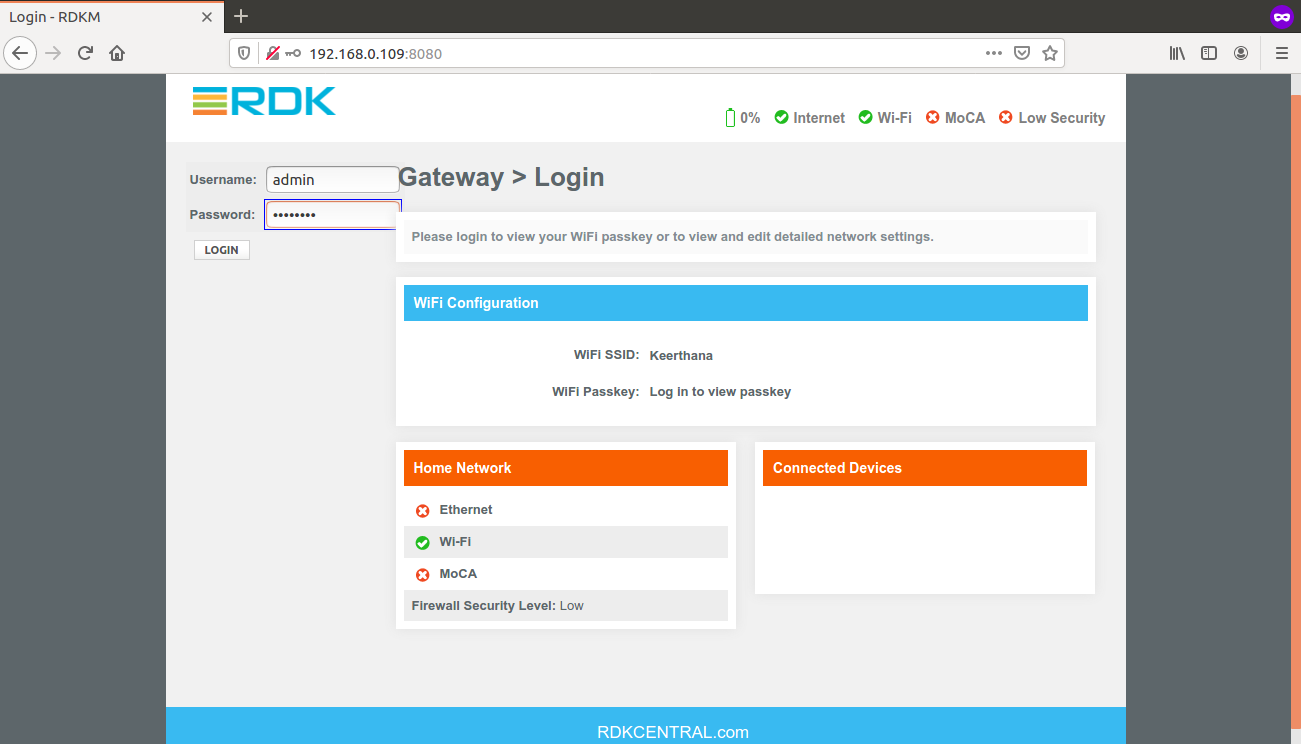
Login the WebUI
RDKM logo is dispalying in below screenshot
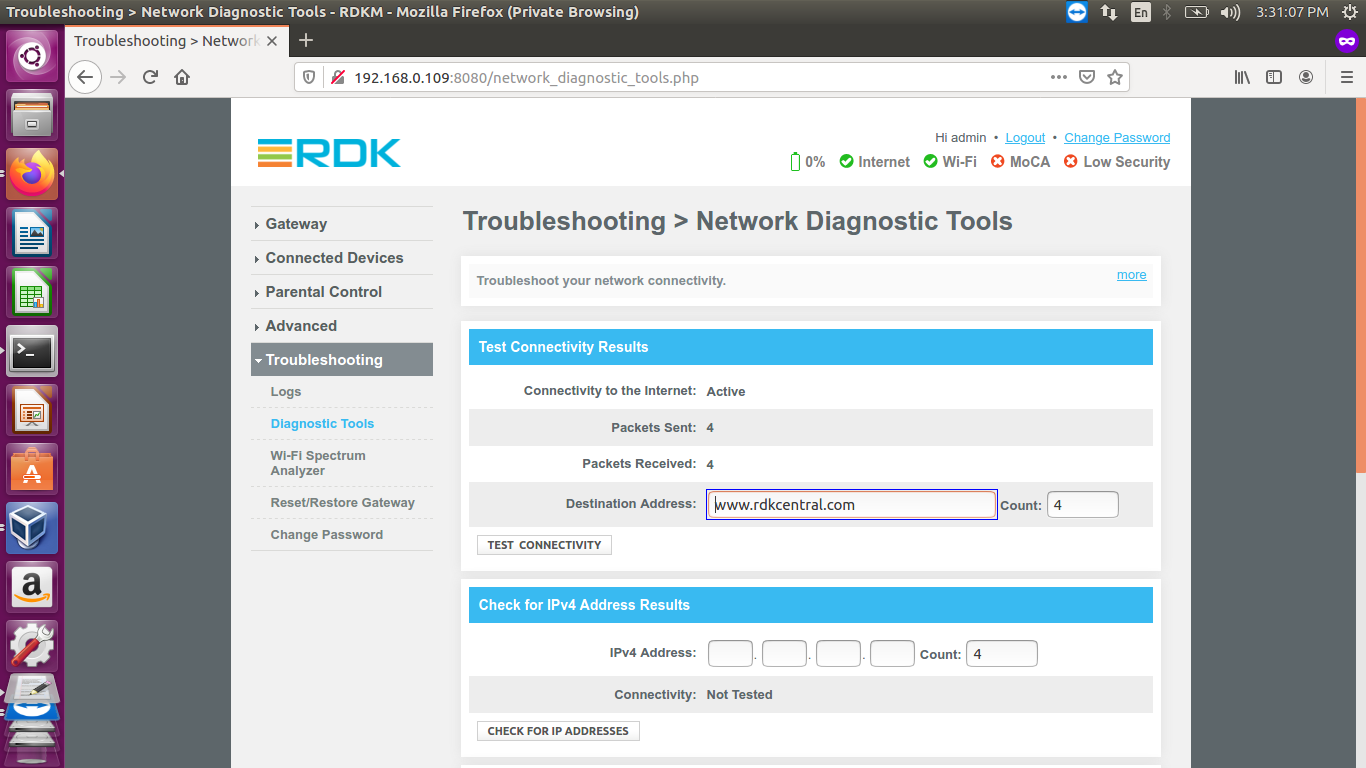
Go to Troubleshooting > Network Diagnostic Tool.
Default Destination Address should be shown as www.rdkcentral.com
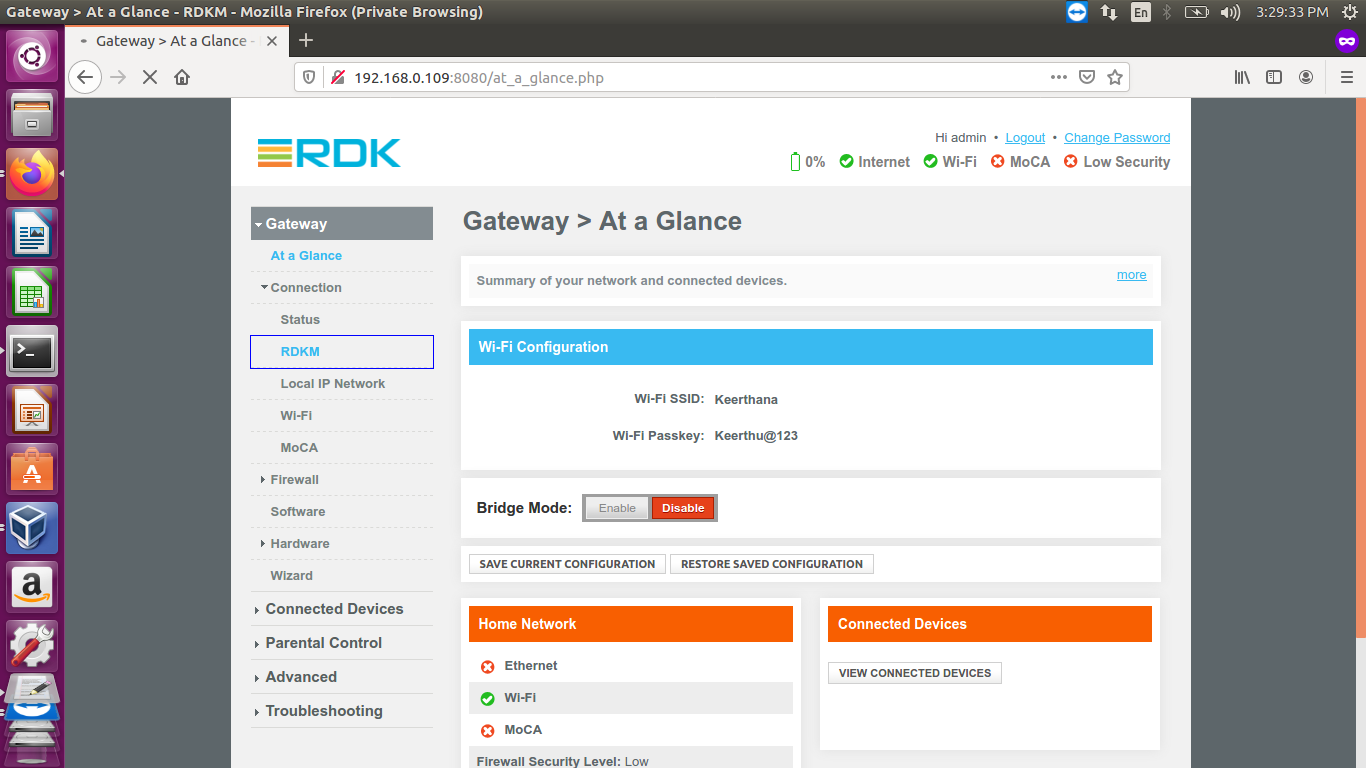
Under Connection menu
RDKM tab will be available
If we clicked RDKM tab , it will redirect to network_setup.sh under the name of Gateway > Connection > RDKM Network
Captive Portal UI
- Captival Portal UI should be change with RDKM logo
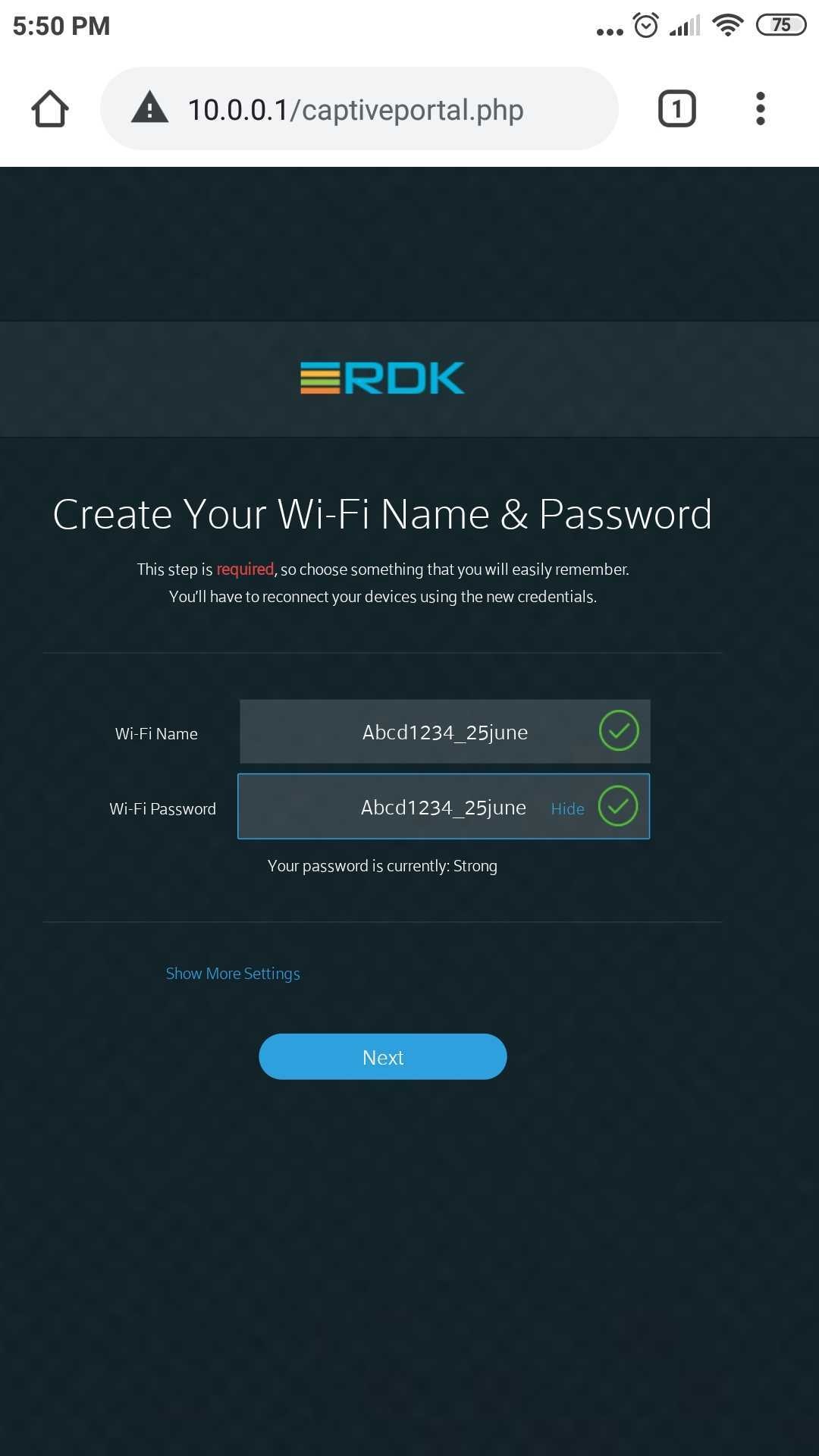
2. Changing the default wifi credentials of 2g and 5g
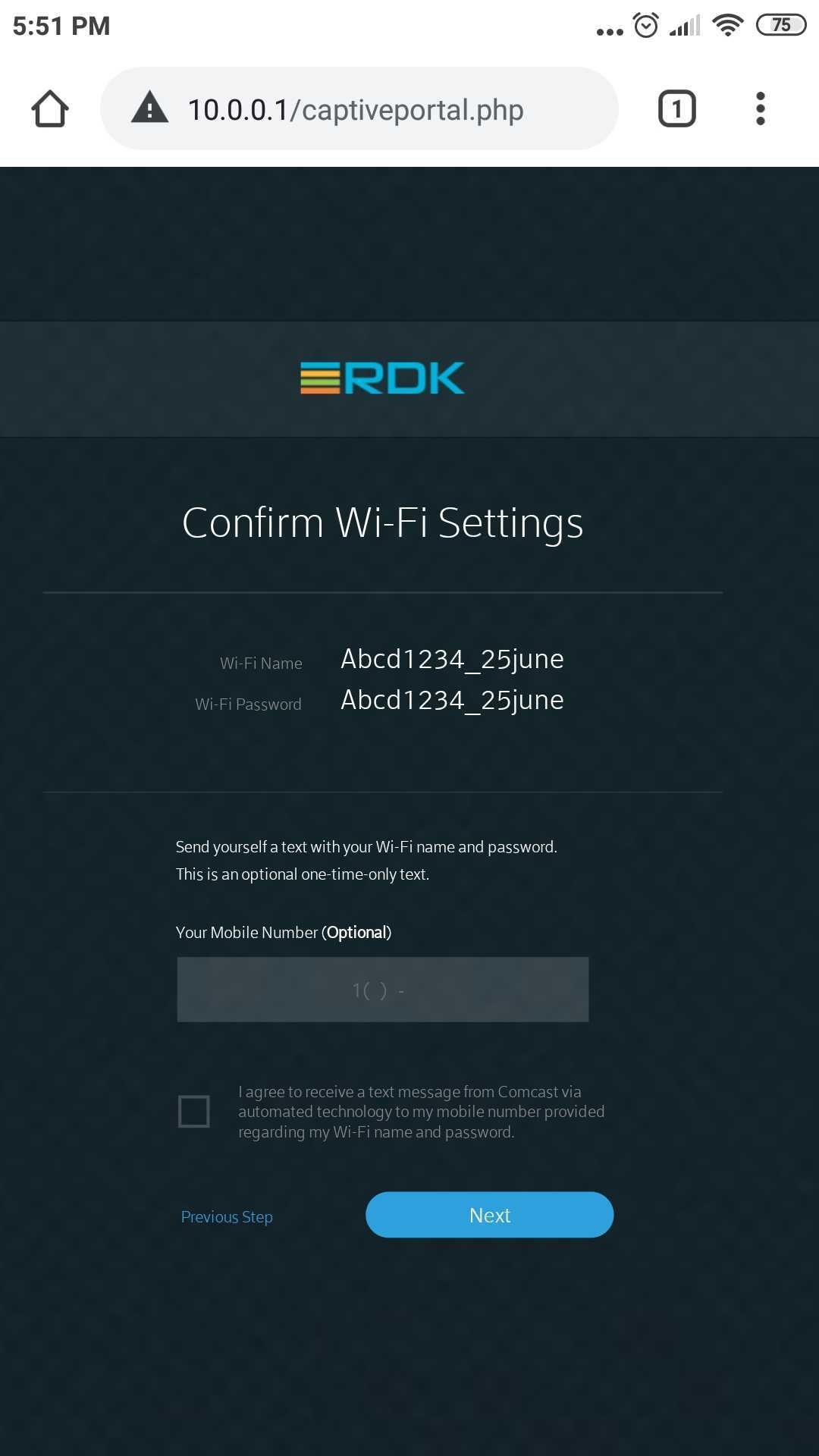
3. Confirming the wifi settings
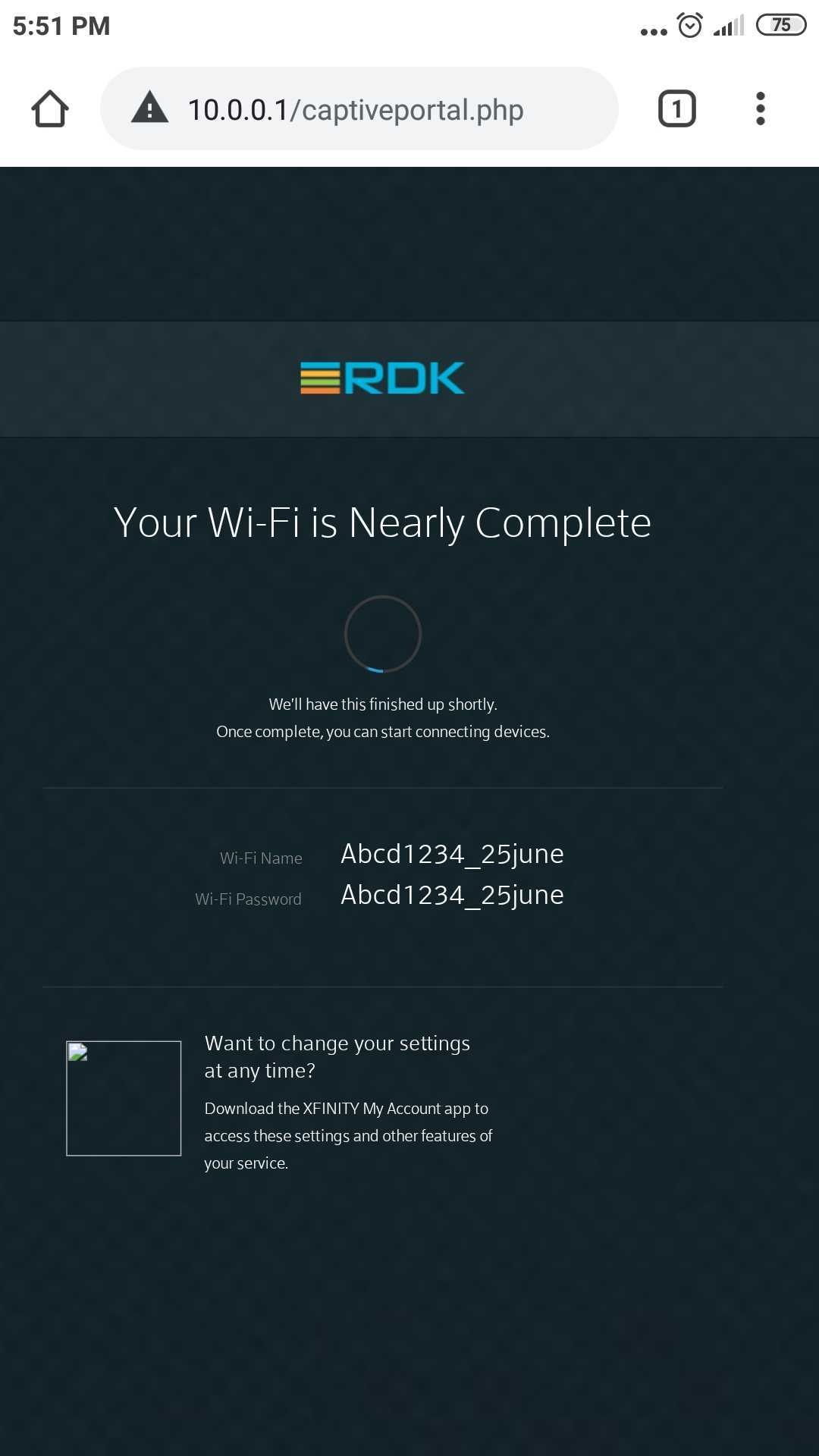
4. Set -up was done
syscfg update
syscfg get PartnerID - value should be return as RDKM.
root@qemux86broadband-morty:# syscfg get PartnerID RDKM |
|---|
Dmcli Command Test Results
root@qemux86broadband-morty:# dmcli simu getv Device.DeviceInfo.X_RDKCENTRAL-COM_Syndication.RDKB_UIBranding.
CR component name is: com.cisco.spvtg.ccsp.CR
subsystem_prefix
getv from/to component(com.cisco.spvtg.ccsp.pam): Device.DeviceInfo.X_RDKCENTRAL-COM_Syndication.RDKB_UIBranding.
Execution succeed.
Parameter    1 name: Device.DeviceInfo.X_RDKCENTRAL-COM_Syndication.RDKB_UIBranding.DefaultAdminIP
               type:     string,    value: 10.0.0.1
Parameter    2 name: Device.DeviceInfo.X_RDKCENTRAL-COM_Syndication.RDKB_UIBranding.DefaultLocalIPv4SubnetRange
               type:     string,    value: 255.255.255.0
Parameter    3 name: Device.DeviceInfo.X_RDKCENTRAL-COM_Syndication.RDKB_UIBranding.Footer.PartnerLink
               type:     string,    value: https://wiki.rdkcentral.com
Parameter    4 name: Device.DeviceInfo.X_RDKCENTRAL-COM_Syndication.RDKB_UIBranding.Footer.UserGuideLink
               type:     string,    value: https://wiki.rdkcentral.com/display/RDK/Download+and+Build+Documentation
Parameter    5 name: Device.DeviceInfo.X_RDKCENTRAL-COM_Syndication.RDKB_UIBranding.Footer.CustomerCentralLink
               type:     string,    value:
Parameter    6 name: Device.DeviceInfo.X_RDKCENTRAL-COM_Syndication.RDKB_UIBranding.Footer.PartnerText
               type:     string,    value: RDKCENTRAL.com
Parameter    7 name: Device.DeviceInfo.X_RDKCENTRAL-COM_Syndication.RDKB_UIBranding.Footer.UserGuideText
               type:     string,    value: User Guide
Parameter    8 name: Device.DeviceInfo.X_RDKCENTRAL-COM_Syndication.RDKB_UIBranding.Footer.CustomerCentralText
               type:     string,    value: customerCentral
Parameter    9 name: Device.DeviceInfo.X_RDKCENTRAL-COM_Syndication.RDKB_UIBranding.Connection.MSOmenu
               type:     string,    value: RDKM
Parameter   10 name: Device.DeviceInfo.X_RDKCENTRAL-COM_Syndication.RDKB_UIBranding.Connection.MSOinfo
               type:     string,    value: View technical information related to your RDKM network connection.
Parameter   11 name: Device.DeviceInfo.X_RDKCENTRAL-COM_Syndication.RDKB_UIBranding.Connection.StatusTitle
               type:     string,    value: RDKM
Parameter   12 name: Device.DeviceInfo.X_RDKCENTRAL-COM_Syndication.RDKB_UIBranding.Connection.StatusInfo
               type:     string,    value: View and manage the settings for you local IP, Wi-Fi, MoCA and RDKM networks
Parameter   13 name: Device.DeviceInfo.X_RDKCENTRAL-COM_Syndication.RDKB_UIBranding.NetworkDiagnosticTools.ConnectivityTestURL
               type:     string,    value: www.rdkcentral.com
Parameter   14 name: Device.DeviceInfo.X_RDKCENTRAL-COM_Syndication.RDKB_UIBranding.WiFiPersonalization.Support
               type:       bool,    value: true
Parameter   15 name: Device.DeviceInfo.X_RDKCENTRAL-COM_Syndication.RDKB_UIBranding.WiFiPersonalization.PartnerHelpLink
               type:     string,    value: https://wiki.rdkcentral.com
Parameter   16 name: Device.DeviceInfo.X_RDKCENTRAL-COM_Syndication.RDKB_UIBranding.WiFiPersonalization.SMSsupport
               type:       bool,    value: true
Parameter   17 name: Device.DeviceInfo.X_RDKCENTRAL-COM_Syndication.RDKB_UIBranding.WiFiPersonalization.MyAccountAppSupport
               type:       bool,    value: true
Parameter   18 name: Device.DeviceInfo.X_RDKCENTRAL-COM_Syndication.RDKB_UIBranding.WiFiPersonalization.MSOLogo
               type:     string,    value: logo_rdk.png
Parameter   19 name: Device.DeviceInfo.X_RDKCENTRAL-COM_Syndication.RDKB_UIBranding.WiFiPersonalization.Title
               type:     string,    value: RDKM Smart Internet
Parameter   20 name: Device.DeviceInfo.X_RDKCENTRAL-COM_Syndication.RDKB_UIBranding.WiFiPersonalization.WelcomeMessage
               type:     string,    value: Welcome to RDKM Internet
Parameter   21 name: Device.DeviceInfo.X_RDKCENTRAL-COM_Syndication.RDKB_UIBranding.LocalUI.MSOLogo
               type:     string,    value: logo_rdk.png
Parameter   22 name: Device.DeviceInfo.X_RDKCENTRAL-COM_Syndication.RDKB_UIBranding.LocalUI.DefaultLoginUsername
               type:     string,    value: admin
Parameter   23 name: Device.DeviceInfo.X_RDKCENTRAL-COM_Syndication.RDKB_UIBranding.LocalUI.DefaultLoginPassword
               type:     string,    value: password
Parameter   24 name: Device.DeviceInfo.X_RDKCENTRAL-COM_Syndication.RDKB_UIBranding.LocalUI.HomeNetworkControl
               type:       bool,    value: true
Parameter   25 name: Device.DeviceInfo.X_RDKCENTRAL-COM_Syndication.RDKB_UIBranding.LocalUI.MSOLogoTitle
               type:     string,    value: RDKM
Parameter   26 name: Device.DeviceInfo.X_RDKCENTRAL-COM_Syndication.RDKB_UIBranding.HelpTip.NetworkName
               type:     string,    value:


root@qemux86broadband-morty:/# dmcli simu getv Device.DeviceInfo.X_RDKCENTRAL-COM_Syndication.
CR component name is: com.cisco.spvtg.ccsp.CR
subsystem_prefix
getv from/to component(com.cisco.spvtg.ccsp.pam): Device.DeviceInfo.X_RDKCENTRAL-COM_Syndication.
Execution succeed.
Parameter    1 name: Device.DeviceInfo.X_RDKCENTRAL-COM_Syndication.PartnerId
               type:     string,    value: RDKM

Parameter    2 name: Device.DeviceInfo.X_RDKCENTRAL-COM_Syndication.TR69CertLocation
               type:     string,    value: /etc/cacert.pem
Parameter    3 name: Device.DeviceInfo.X_RDKCENTRAL-COM_Syndication.LocalUIBrandingTable
               type:     string,    value:
Parameter    4 name: Device.DeviceInfo.X_RDKCENTRAL-COM_Syndication.WifiUIBrandingTable
               type:     string,    value:
Parameter    5 name: Device.DeviceInfo.X_RDKCENTRAL-COM_Syndication.enable
               type:       bool,    value: false
Parameter    6 name: Device.DeviceInfo.X_RDKCENTRAL-COM_Syndication.PauseScreenFileLocation
               type:     string,    value: /usr/www/cmn/syndication/device_pause_screen/device_pause_screen_comcast.php
Parameter    7 name: Device.DeviceInfo.X_RDKCENTRAL-COM_Syndication.RDKB_Control.ActivatePartnerId
               type:       bool,    value: false
Parameter    8 name: Device.DeviceInfo.X_RDKCENTRAL-COM_Syndication.RDKB_Control.ClearPartnerId
               type:       bool,    value: false

root@qemux86broadband-morty:/# dmcli simu getv Device.IP.Diagnostics.X_RDKCENTRAL-COM_PingTest.PartnerID
CR component name is: com.cisco.spvtg.ccsp.CR
subsystem_prefix
getv from/to component(com.cisco.spvtg.ccsp.tdm): Device.IP.Diagnostics.X_RDKCENTRAL-COM_PingTest.PartnerID
Execution succeed.
Parameter    1 name: Device.IP.Diagnostics.X_RDKCENTRAL-COM_PingTest.PartnerID
               type:     string,    value: RDKM

root@qemux86broadband-morty:/#
|
|---|
Troubleshooting
If above dmcli parameters are not properly displaying with RDKM informations, please check the partners_default json file was properly updated in nvram folder . If it's empty, copy the json file from etc folder and cross-check the space of our device.
Overview
Community Forums
Content Tools
Tasks