

Page History
| Table of Contents | ||
|---|---|---|
|
Source code repository
Xconf code consists of 3 web applications - Xconf Webconfig, XConf Admin and Xconf UI. The source code for golang version is available in the below Github repositories:
...
Configuration and Validation of services
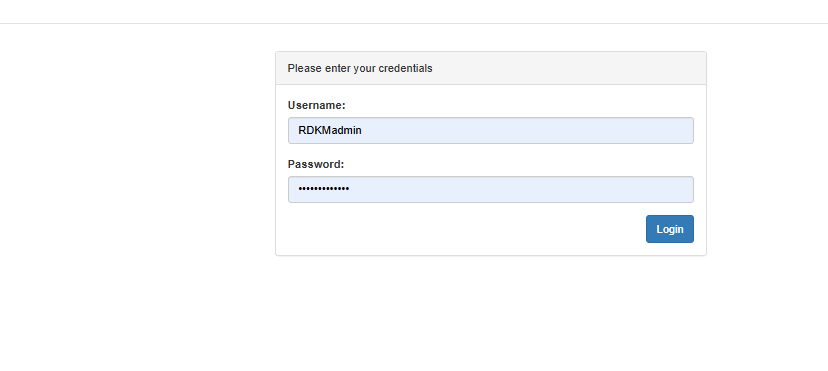
Login Screen
RDKM has the xconf reference server which is primarily hosted in https://xconf.rdkcentral.com/. To login, kindly refer this page Xconf GO Reference Setup Credentials for credentials
Admin UI Common Configuration
Below steps will affect all the features in Xconf system and should be configured after initial setup. Go to the steps given in site navigation step and press on create button to create new entries.
Login Screen
kindly refer this page Xconf GO Reference Setup Credentials for credentials
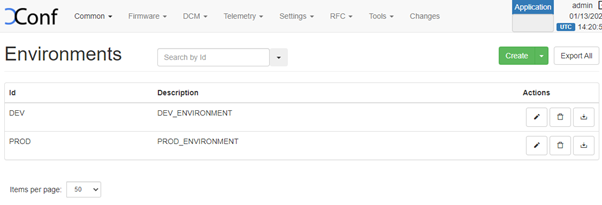
Define Environments
| Panel | ||
|---|---|---|
| ||
|
...
Verification and setup from RPI
- Update RFC_CONFIG_SERVER_URL in /etc/rfc.properties
| Code Block |
|---|
RFC_CONFIG_SERVER_URL=https://xconf.rdkcentral.com.rdkcentral.com/featureControl/getSettings |
...
RDKE RPI
| Code Block |
|---|
curl --header "Content-Type: application/json" --request POST --data '{"jsonrpc":"2.0","id":"3","method":"Controller.1.activate","params":{"callsign":"org.rdk.MaintenanceManager"}}' http://127.0.0.1:9998/jsonrpc |
Feature Validation (LogUpload)
...
| Info |
|---|
For Logupload endpoint, if you are planning to use community reference server please use https://xconf.rdkcentral.com/logTelemetryServer/logupload.php https://xconf-test.rdkcentral.com/logTelemetryServer/upload/display.php to view the uploaded logs. |
...
| Info |
|---|
For telemetry, if you are using community reference endpoints, please use https://xconf.rdkcentral.com/logTelemetryServer/telemetry_upload.php To view the telemetry logs, there is a reference portal for community https://xconf-test.rdkcentral.com/logTelemetryServer/upload/display.php?mode=telemetry |
Configuration
- Create a permanent profile Telemetry - > Permanent Profiles -> Create
...
| CURL Command | curl 'http://<XCONF_IP>/loguploader/getSettings?estbMacAddress=AA:BB:CC:DD:EE:FF&firmwareVersion=rdk-generic-hybrid-wpe-image_default_20190702100618&env=dev&model=RPI&ecmMacAddress=AA:BB:CC:DD:EE:FF&controllerId=2504&channelMapId=2345&vodId=15660&timezone=&partnerId=&accountId=Unknown&version=2' |
|---|---|
| CPE Script (RDK-V) | /lib/rdk/DCMscript.sh /lib/rdk/dca_utility.sh |
| CPE Service (RDK-V) | /lib/systemd/system/dcm-log.service |
Feature Validation (Firmware update)
Configuration
Telemetry (T2 validation)
Creating a T2 Report Profile in XConf
Please watch the demo video below for a quick lesson in creating a T2 Report Profile in XConf.
A few things to note:
- XConf will validate the T2 report profile JSON that you enter and will give an error if the JSON is not valid. For schema refer and refer Report Profile - Documentation of available properties in T2 Report Profiles
- XConf has an approval process. Any creation, change or deletion to a profile must be approved before it will go live. This is demonstrated in the video and is only possible to do yourself while in XConf CI. Otherwise, the Release Management team owns permissions to approve all XConf profile changes.
- The name you give your T2 profile will be the name that is reported for
Profile.Nameif you include that in your T2 profile (which is highly recommended!).
| Multimedia | ||
|---|---|---|
|
Creating a T2 Rule in XConf
Please watch the demo video below for a quick lesson in creating a T2 Rule in XConf.
A few things to note:
- Rules can specify specific information, like mac addresses, or more general information, like device models. A single rule can specify multiple mac addresses with OR so that you could add all test device Macs to a single rule if they should all get the same profiles.
- The simplest thing to do when trying to test for a specific device is to create a Mac-based rule. Please note that XConf uses WAN Mac for RDK-B devices and eSTB Mac for RDK-V devices.
- T2 Rules allow for multiple T2 Report Profiles to be specified in a single rule.
| Multimedia | ||
|---|---|---|
|
Verification
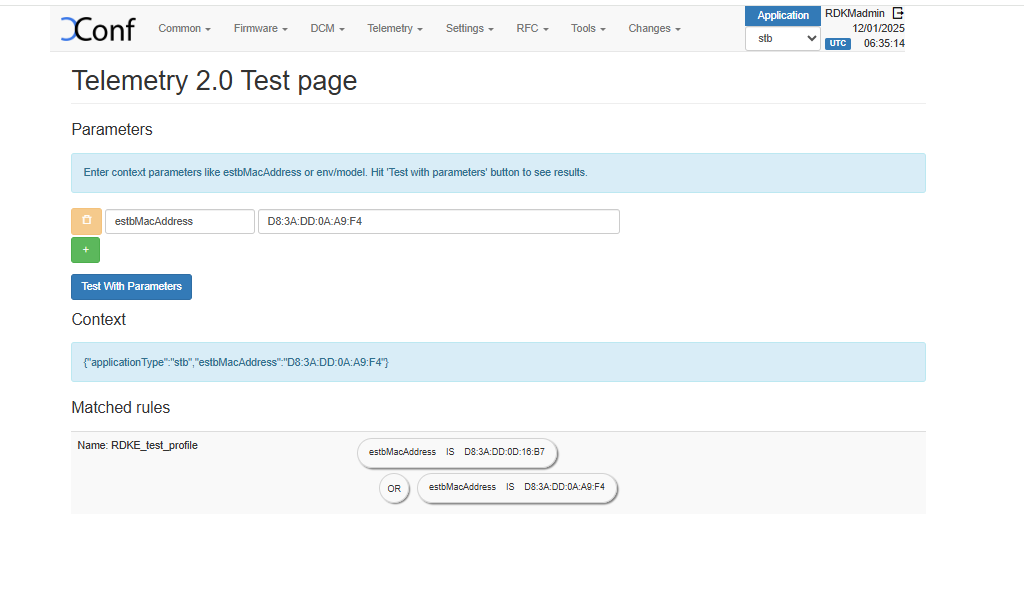
a. Verification of telemetry test page.
After creating the permanent profile and targeting rules, go to Telemetry->Test page and give a parameter that will match the one of the rule that you have created. Then matched rule will be displayed like below.
| Panel | ||
|---|---|---|
| ||
|
b. Verification via curl command
The curl command mocks the request being sent from an STB like below and sample response is also given. It can be given as a curl command or as a get request via postman or browser. To fetch the configured telemetry profile follow curl request as below
eg :
$ curl 'http://<XCONF_IP>/loguploader/getTelemetryProfiles?estbMacAddress=AA:BB:CC:DD:EE:FF’
Sample Response :
| Code Block |
|---|
{"profiles":[{"name":"RDKE_test_profile","value":{"EncodingType":"JSON","HTTP":{"Compression":"None","Method":"POST","RequestURIParameter":[{"Name":"device","Reference":"Device.DeviceInfo.X_COMCAST-COM_CM_MAC"}],"URL":"https://xconf.rdkcentral.com/logTelemetryServer/telemetry_upload.php"},"JSONEncoding":{"ReportFormat":"NameValuePair","ReportTimestamp":"None"},"Parameter":[{"name":"NTPServer3","reference":"Device.Time.NTPServer3","type":"dataModel"},{"name":"HwVer","reference":"Device.DeviceInfo.HardwareVersion","type":"dataModel"},{"name":"MemStatFree","reference":"Device.DeviceInfo.MemoryStatus.Free","type":"dataModel"},{"name":"MemStatTotal","reference":"Device.DeviceInfo.MemoryStatus.Total","type":"dataModel"},{"component":"sysint","eventName":"Xi_wifiMAC_split","type":"event","use":"absolute"},{"component":"sysint","eventName":"SYST_ERR_LogUpload_Failed","reportEmpty":false,"type":"event","use":"count"},{"logFile":"NetworkManager.log","marker":"NW_DNSMASQ","search":"starting /usr/bin/dnsmasq","type":"grep","use":"absolute"},{"name":"CpuUsage","reference":"Device.DeviceInfo.ProcessStatus.CPUUsage","type":"dataModel"},{"name":"Uptime","reference":"Device.DeviceInfo.UpTime","type":"dataModel"}],"Protocol":"HTTP","ReportingInterval":30,"TimeReference":"0001-01-01T00:00:00Z","Version":"0.1"},"versionHash":"dca68b4f"}]} |
| Info |
|---|
For telemetry, if you are using community reference endpoints, please use https://xconf.rdkcentral.com/logTelemetryServer/telemetry_upload.php To view the telemetry logs, there is a reference portal for community https://xconf.rdkcentral.com/logTelemetryServer/upload/display.php?mode=telemetry |
Client end verification (RPI)
Refer this page for validation of t2 profile using webconfig WebConfig, XConf & T2
Feature Validation (Firmware update)
Configuration
1. Firmware config can be created via Firmware - > Firmware Configs -> Create. Enter a description for this config. Also we can define the file name and version of the 1. Firmware config can be created via Firmware - > Firmware Configs -> Create. Enter a description for this config. Also we can define the file name and version of the image/firmware that need to be downloaded to the CPE device. The models that we defined in Common → Models section will be available here, We can select the required models by clicking on it.
...
| Info |
|---|
For RDK7, TFTP and HTTP is not supported, only HTTPS support is available. |
Verification
a. Verification of Firmware test page.
...
| Code Block |
|---|
{"firmwareDownloadProtocol":"http","firmwareFilename":"rdkb-generic-broadband-image_rdk-next_20250305000408_DEV_NG.rootfs","firmwareLocation":"http://10.75.129.16","firmwareVersion":"rdkb-generic-broadband-image_rdk-next_20250305000408_DEV_NG.rootfs","mandatoryUpdate":false,"rebootImmediately":true} |
Client end verification (RPI)
- Change the CLOUDURL URL in /etc/include.properties File
Code Block CLOUDURL=https://xconf.rdkcentral.com/xconf/swu/stb?eStbMac=
...
/lib/rdk/swupdate_utility.sh
NG.rootfs","mandatoryUpdate":false,"rebootImmediately":true} |
Client end verification (RPI)
RDKE
| Code Block |
|---|
curl --header "Content-Type: application/json" --request POST --data '{"jsonrpc":"2.0","id":"3","method":"Controller.1.activate","params":{"callsign":"org.rdk.MaintenanceManager"}}' http://127.0.0.1:9998/jsonrpc |
...
Percent Filter
Percentage based filters allow us to block a certain percentage of Xconf responses that would otherwise have resulted in a change in firmware. The use case for this is when we have tons of STBs out there and we don't yet have scheduled downloads. We would like to be able to only service a certain percentage as a throttling mechanism so download servers aren't overwhelmed.
...
Overview
Community Forums
Content Tools
Tasks