


Getting Started
Please setup Automatics system if not already done following Automatics Setup Requirement & Deployment Home Page
Follow below steps to deploy CDRouter service in Automatics System.
Deployment of CDRouter Service
User can deploy CDRouter service in automated approach or manually. Recommended approach is the automated way of deployment.
Automated Deployment of CDRouter Service
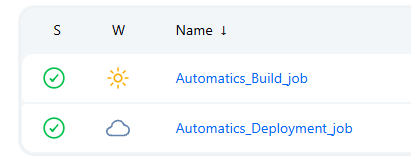
User has to run first run Automatics_Build_job to build the docker image of CDRouter Service and then Automatics_Deployment_job to bring up cdrouter docker service.
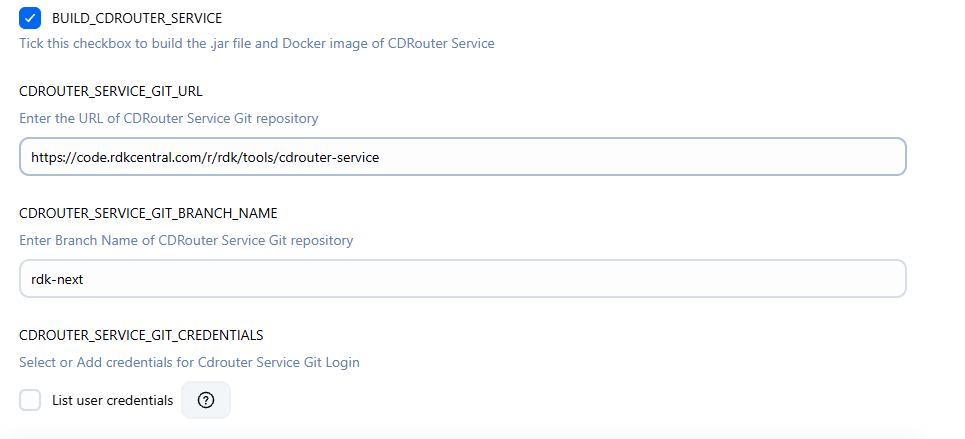
Build CDRouter Service Docker File
In Automatics_Build_job, please check the option BUILD_CDROUTER_SERVICE and run the job. This will create CDRouter Service Docker File upon success.
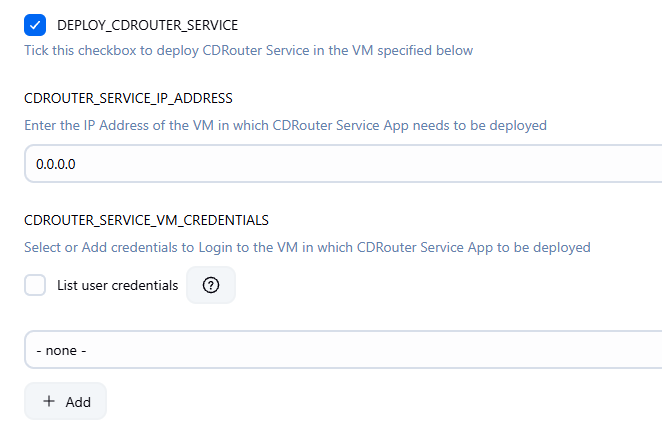
Deploy CDRouter Service Docker File
In Automatics_Deployment_job, please check the option DEPLOY_CDROUTER_SERVICE. Select options as given in below screenshots and Build the job. This will deploy CDRouter Service Docker on destination VM.
- Provide VM IP address on which CDRouter service to be deployed
- Select the SSH credential to the VM
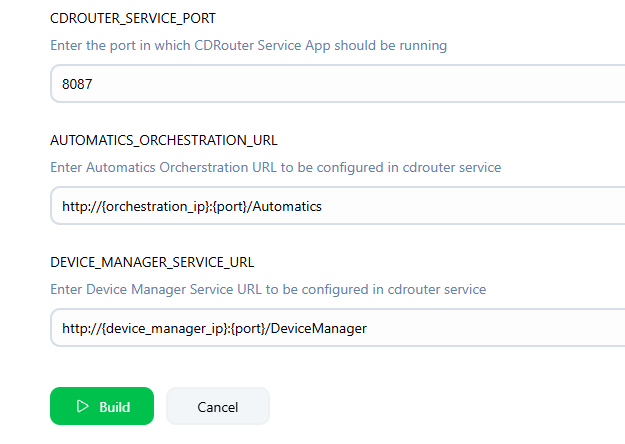
- Select the port in destination VM on which docker will be exposed.
- Provide the Automatics Orchestration and DeviceManager base urls in the format given in screenshot.
- Next, Click on Build
Manual Deployment of CDRouter Service
Please refer CDRouter Service Setup to bring up CDRouter service using manual steps
Overview
Community Forums
Content Tools
Tasks